EasyManua.ls Logo

HP 5326A - Page 24

HP 5326A
30 pages
Print Icon
To Next Page IconTo Next Page
To Previous Page IconTo Previous Page
Loading...
Model
5326/27A
Operation
1
2
6
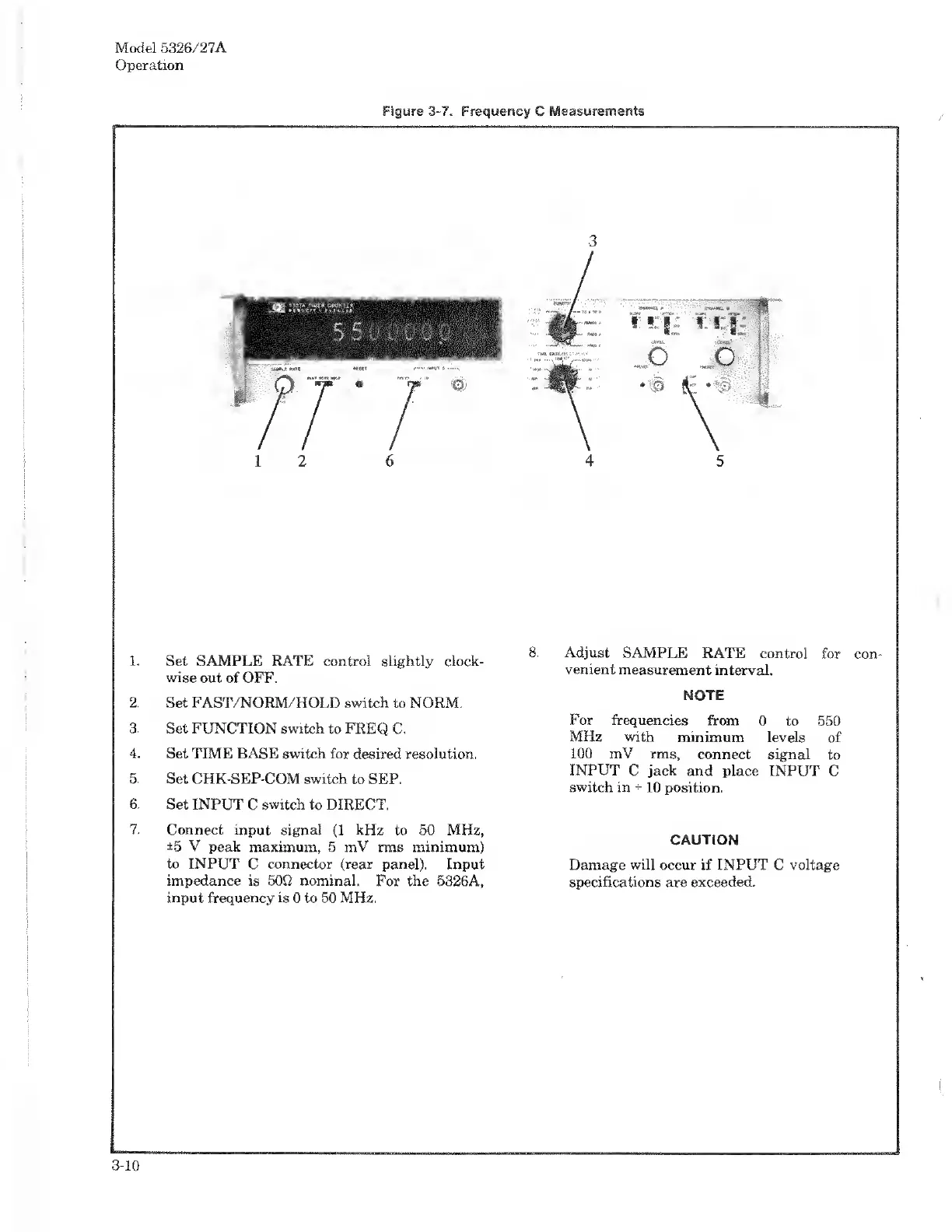
1.
Set
SAMPLE
RATE
control
slightly
clock¬
wise
out
of
OFF.
2.
Set
FAST/NORM/HOLD
switch
to
NORM.
3.
Set
FUNCTION
switch
to
FREQ
C.
4.
Set
TIME
BASE
switch
for
desired
resolution.
5.
Set
CHK-SEP-COM
switch
to
SEP.
6.
Set
INPUT
C
switch
to
DIRECT.
7.
Connect
input
signal
(1
kHz
to
50
MHz,
±5
V
peak
maximum,
5
mV
rms
minimum)
to
INPUT
C
connector
(rear
panel).
Input
impedance
is
50Q
nominal.
For
the
5326A,
input
frequency
is
0
to
50
MHz.
3
4
5
8.
A
djust
SAMPLE
RATE
control
for
con¬
venient
measurement
interval.
NOTE
For
frequencies
from
0
to
550
MHz
with
minimum
levels
of
100
mV
rms,
connect
signal
to
INPUT
C
jack
and
place
INPUT
C
switch
in
*
10
position.
CAUTION
Damage
will
occur
if
INPUT
C
voltage
specifications
are
exceeded.
3-10

Related product manuals