EasyManua.ls Logo

HP 5326A - Page 23

HP 5326A
30 pages
Print Icon
To Next Page IconTo Next Page
To Previous Page IconTo Previous Page
Loading...
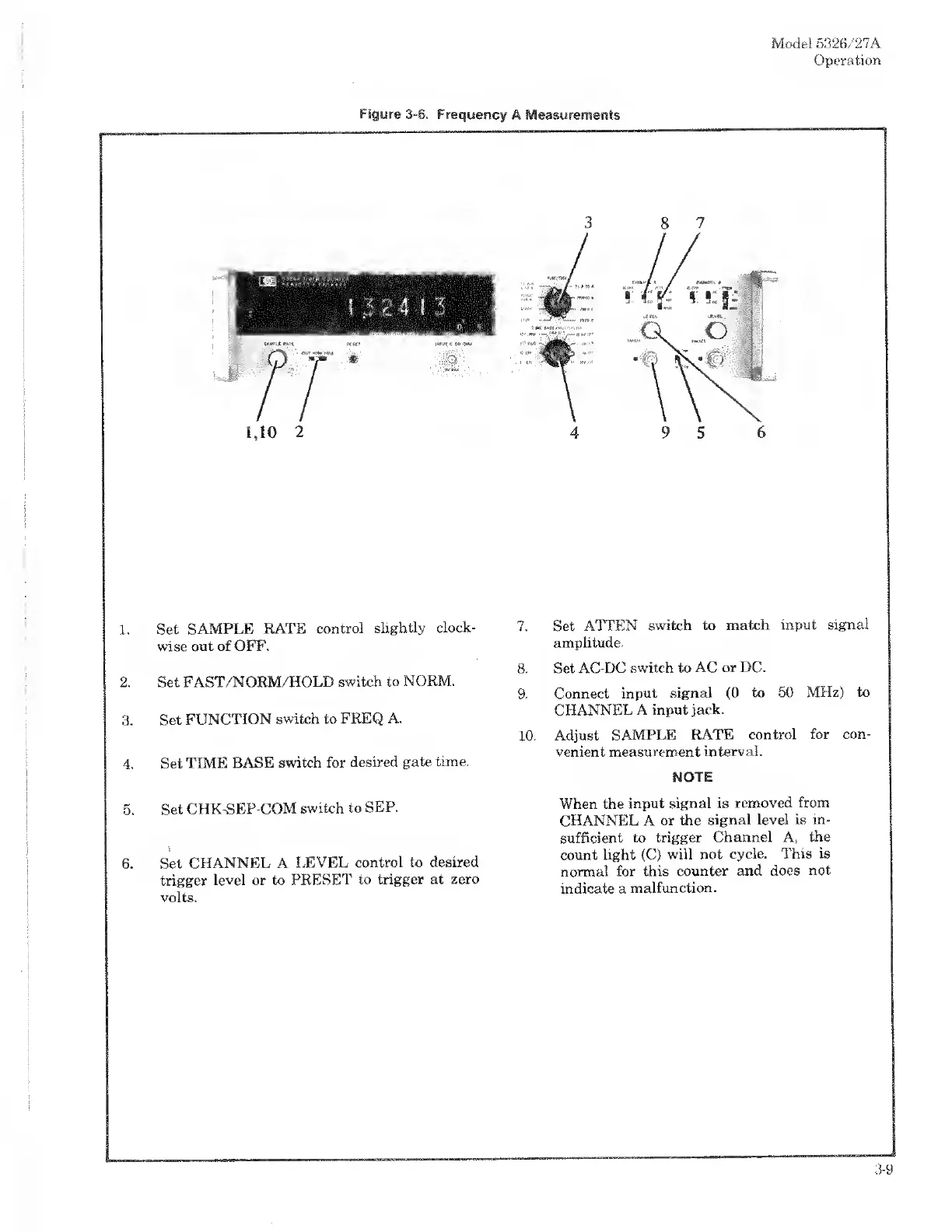
1,10
2
1.
Set
SAMPLE
RATE
control
slightly
clock¬
wise
out
of
OFF.
2.
Set
FAST/NORM/HOLD
switch
to
NORM.
3.
Set
FUNCTION
switch
to
FREQ.
A.
4.
Set
TIME
BASE
switch
for
desired
gate
time.
5.
Set
CHK-SEP-COM
switch
to
SEP.
6.
Set
CHANNEL
A
LEVEL
control
to
desired
trigger
level
or
to
PRESET
to
trigger
at
zero
volts.
Model
5326/27A
Operation
7.
Set
ATTEN
switch
to
match
input
signal
amplitude.
8.
Set
AC-DC
switch
to
AC
or
DC.
9.
Connect
input
signal
(0
to
50
MHz)
to
CHANNEL
A
input
jack.
10.
Adjust
SAMPLE
RATE
control
for
con¬
venient
measurement
interval.
NOTE
When
the
input
signal
is
removed
from
CHANNEL
A
or
the
signal
level
is
in¬
sufficient
to
trigger
Channel
A,
the
count
light
(C)
will
not
cycle.
This
is
normal
for
this
counter
and
does
not
indicate
a
malfunction.

Related product manuals