EasyManua.ls Logo

HP 5326A - Page 28

HP 5326A
30 pages
Print Icon
To Next Page IconTo Next Page
To Previous Page IconTo Previous Page
Loading...
Model
5326/27A
Operation
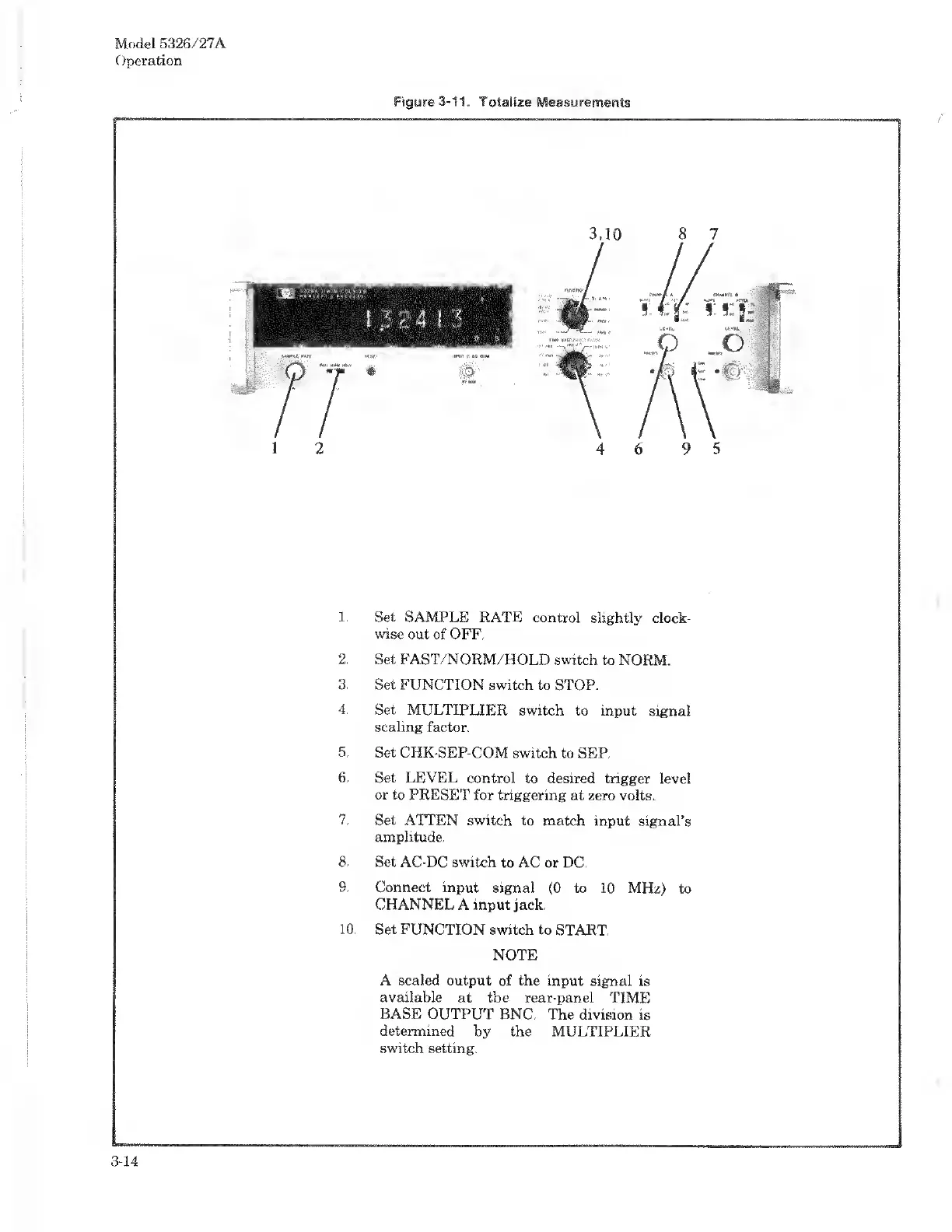
1.
Set
SAMPLE
RATE
control
slightly
clock¬
wise
out
of
OFF.
2.
Set
FAST/NORM/HOLD
switch
to
NORM.
3.
Set
FUNCTION
switch
to
STOP.
4.
Set
MULTIPLIER
switch
to
input
signal
scaling
factor.
5.
Set
CHK-SEP-COM
switch
to
SEP.
6.
Set
LEVEL
control
to
desired
trigger
level
or
to
PRESET
for
triggering
at
zero
volts.
7.
Set
ATTEN
switch
to
match
input
signal’s
amplitude.
8.
Set
AC-DC
switch
to
AC
or
DC.
9.
Connect
input
signal
(0
to
10
MHz)
to
CHANNEL
A
input
jack.
10.
Set
FUNCTION
switch
to
START.
NOTE
A
scaled
output
of
the
input
signal
is
available
at
the
rear-panel
TIME
BASE
OUTPUT
BNC.
The
division
is
determined
by
the
MULTIPLIER
switch
setting.
3-14

Related product manuals