EasyManua.ls Logo

HP 5355A - Page 25

HP 5355A
50 pages
Print Icon
To Next Page IconTo Next Page
To Previous Page IconTo Previous Page
Loading...
Mode!
5355A
Operation
and
Programming
jj
DIGITS
sTtP
MEASUREMENT
KEYS
When
key
is
pressed
and
illuminated,
enters
the
manual
center
frequency
shown
on
the
counters
display
(controlled
by
i
®
J
^
JA4
or
pressed
again
and
extinguished,
pressed,
counter
displays
mea¬
surement.
The
DIGIT
STEPS
(blue-label)
func¬
tion
is
in
effect
when
OFFSET
FREQ
key
(blue)
is
illuminated.
Each
time
the
DIGIT
STEPS
key
is
pressed,
the
display
is
expanded
by
twodigitsuntil
10
decimal
places
are
displayed
(depending
upon
resolution).
When
pressed
and
illuminated,
this
key
enters
the
offset
frequency
(controlled
by
the
UP
or
DN
key)
on
the
counters
display
and
activates
all
key
functions
labeled
in
blue.
The
OFFSET
FREQ
key
function
is
in
LOCAL
control
unless
the
REMOTE
OFFSET
£RC0
key
is
indicator
is
illuminated.
When
pressed
again
and
extinguished,
and
pressed,
counter
displays
the
measurement.
Successive
presses
will
result
in
alternate
display
of
measured
and
offset
frequencies.
The
offset
fre¬
quency
is
positive
unless
the
minus
(-)
sign
is
INPUT
SELECT
displayed
(controlled
by
the
|T|
key).
When
key
is
pressed
and
illuminated,
a
manual
frequency
measurement
is
displayed,
provided
a
manual
center
frequency,
within
50
MHz
of
the
a
MAN
fsieo
lunmun
^a.a
mm,/.
"""
When
either
DATA
ENTRY
key
is
in
effect
(illumi¬
nated)
the
UP
function
will
cause
the
display
to
count
up
while
the
UP
key
is
held
in.
If
both
the
MANUAL
and
OFFSET
keys
are
pressed
simul¬
taneously,
the
display
will
reset.
When
key
is
pressed
and
illuminated,
a
resultant
frequency
(sum
or
difference
of
input
signal
and
offset
frequency)
is
displayed,
provided
an
offset
frequency
has
been
entered
via
the
QFFSET
rRtr.Q
When
either
DATA
ENTRY
key
is
in
effect
(illumi¬
nated)
the
DN
function
will
cause
the
display
to
count
down
while
the
DN
key
is
held
in.
If
both
RHSE
keys
are
pressed
simultaneously,
the
display
will
reset.
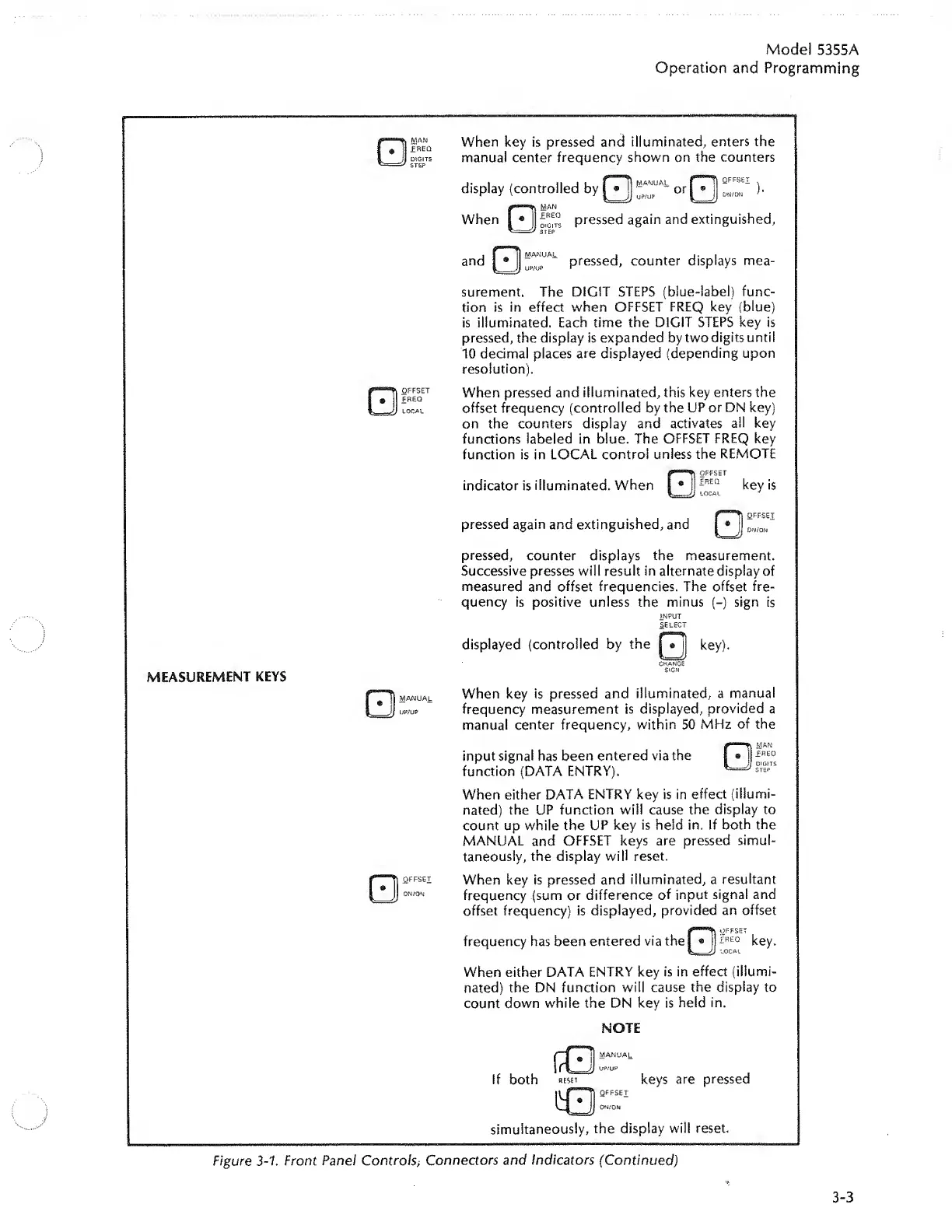
Figure
3-1.
Front
Panel
Controls
>
Connectors
and
Indicators
(Continued)
3-3

Related product manuals