EasyManua.ls Logo

HP 5355A - Page 26

HP 5355A
50 pages
Print Icon
To Next Page IconTo Next Page
To Previous Page IconTo Previous Page
Loading...
Model
5355A
Operation
and
Programming
PULSE
•UNITS
When
key
is
pressed
and
illuminated,
a
CW
signal
input
frequency
is
automatically
acquired,
mea¬
sured
and
displayed.
The
CW
measurement
mode
is
initiated
whenever
power
is
applied
to
the
plug-in.
0
OFF-SET
f
r
e
o
key
function
is
active
LOCAL
(illuminated)
the
DEC
PI
(blue-label)
function
is
active.
With
at
least
3
digits
displayed,
the
DEC
FT
key
shifts
the
decimal
point
on
the
display
to
the
right
one
place
for
each
of
the
first
two
presses
of
the
DC
PT
key,
then
two
places
to
the
left
on
the
third
press.
This
sequence
repeats
for
successive
presses
of
the
key.
When
key
is
pressed
and
illuminated,
a
pulsed
RE
signal
input
frequency
is
automatically
acquired,
measured
and
displayed.
NOTE
To
operate
in
PULSE
mode,
the
GATE
OUT
connector
on
the
rear
panel
of
the
5355A
must
be
connected
to
the
GATE
CONTROL
INPUT
connector
on
the
rear
pane!
of
the
5345A.
When
the
[
j]
key
function
is
active
(illuminated)
the
UNITS
(blue-label)
function
is
active.
The
UNITS
key
shifts
the
displayed
reso¬
lution
annunciator
from
GHz
to
MHz,
kHz,
Hz,
mHz,
and
/uHz,
respectively,
with
each
successive
press
of
the
UNITS
key.
NOTE
If
both
the
keys
are
pressed
simultaneously
(SET
LAST
MEAS)
the
last
measurement
will
be
displayed
on
the
5345A
if
the
5355A
is
in
the
OFFSET
FREQ
or
MAN
FREQ
DATA
ENTRY
mode,(See
Table
3-5.)
:';ar$e
When
key
is
pressed
and
illuminated,
the
0.4
to
1.6
GHz
is
connected.
Otherwise,
the
RF
HEAD
INPUT
is
connected,
if
the
5356A/B/C
Frequency
Converter
Head
is
not
connected
to
the
5355A,the
0.4
to
1.6
GHz
input
^automatically
selected
when
power
is
applied.
When
the
f®j|
key
function
is
active
(illuminated)
the
CHANGE
SIGN
key
function
is
active.
Each
time
the
key
is
pressed,
the
minus
(-)
sign
changes
(on
or
off)
in
the
display.
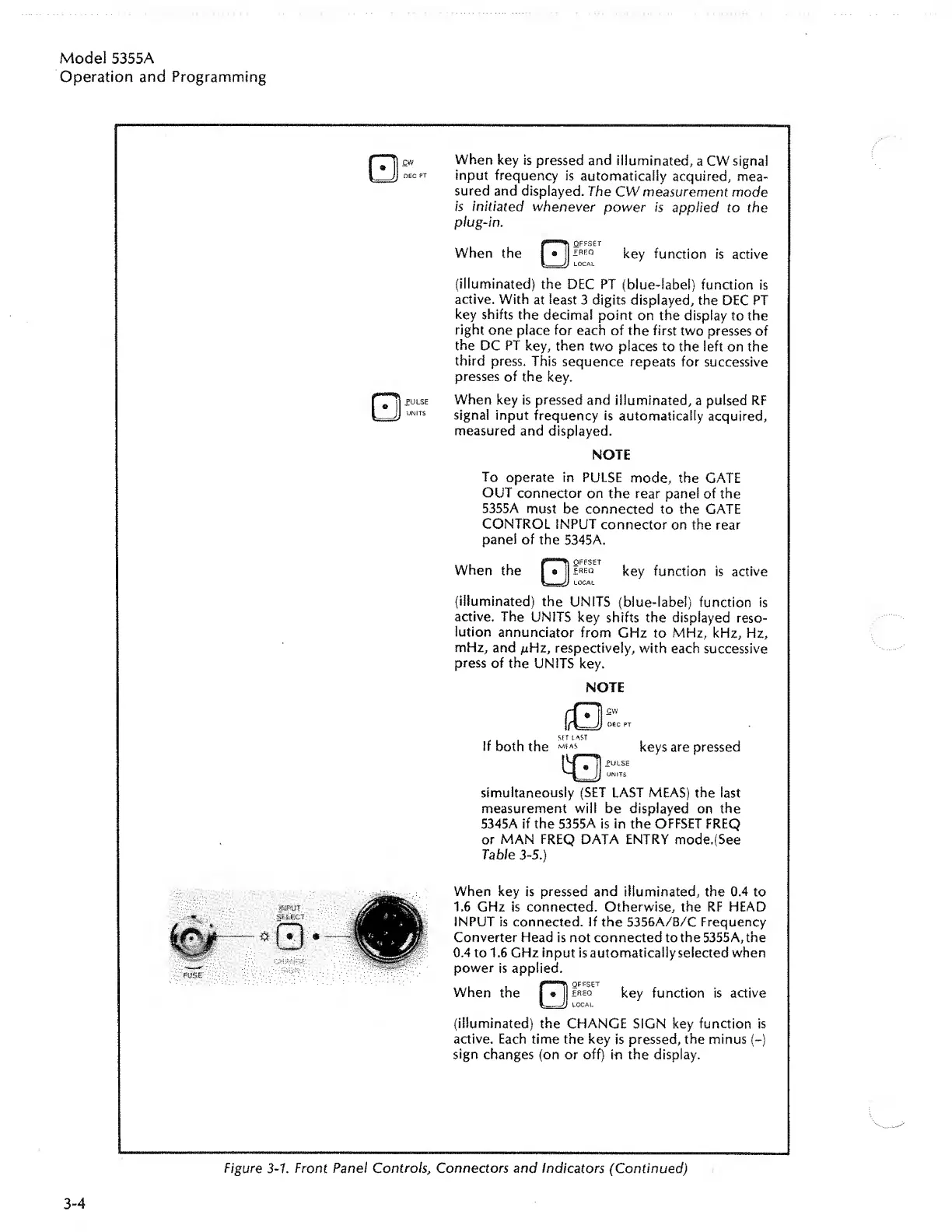
Figure
3-1.
Front
Panel
Controls
,
Connectors
and
Indicators
(Continued)
3-4

Related product manuals