EasyManua.ls Logo

HP 5355A - Page 36

HP 5355A
50 pages
Print Icon
To Next Page IconTo Next Page
To Previous Page IconTo Previous Page
Loading...
Model
5355A
Operation
and
Programming
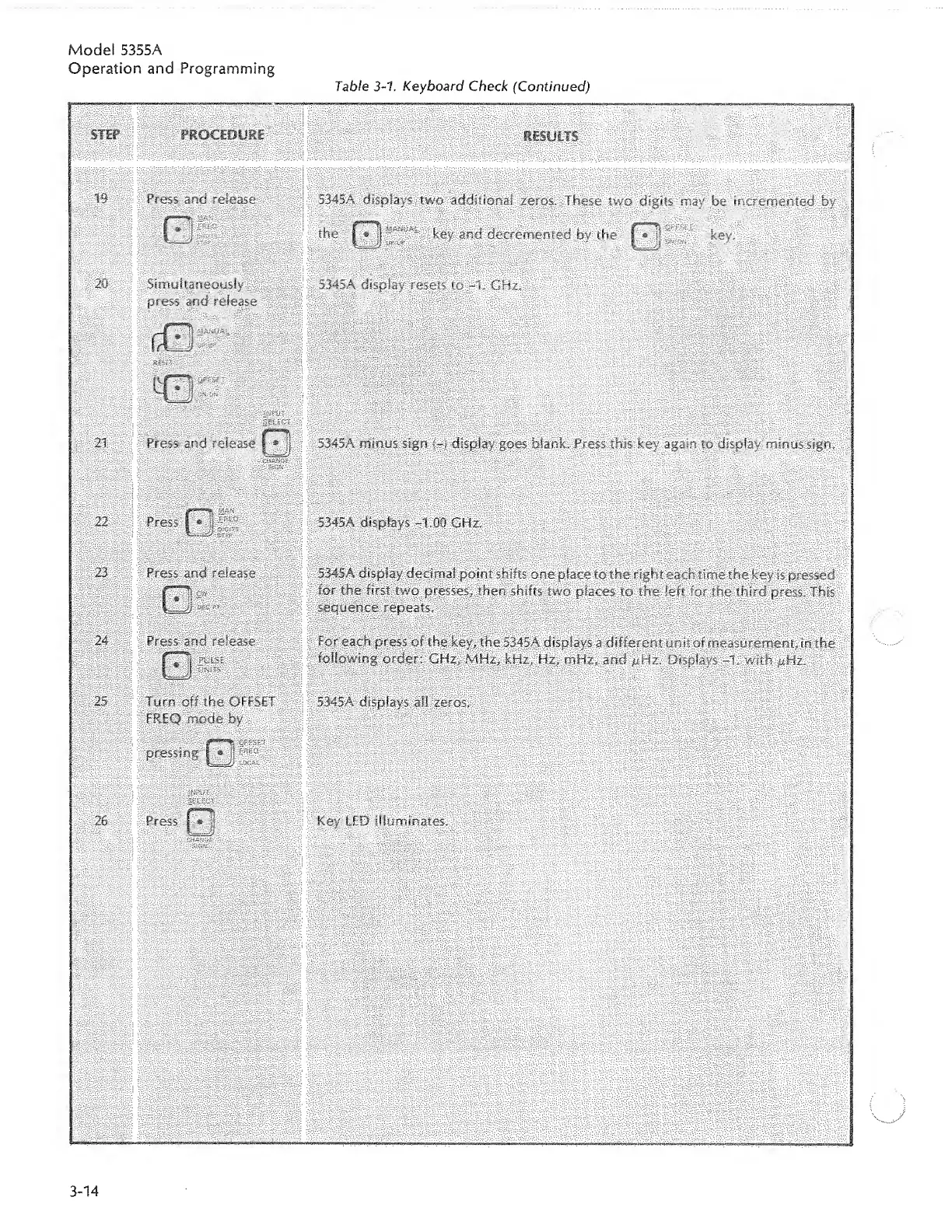
Table
3-1.
Keyboard
Check
(Continued)
Press
and
release
5345A
displays
two
additional
zeros.
These
two
digits
may
be
incremented
by
the
key
and
decremented
by
the
key.
Simultaneously
press
and
release
5345A
display
21
Press
and
release
|
*
f
5345A
minus
sign
{-)
display
goes
blank.
Press
this
key
again
to
display
minus
sign.
22
i
Press
I
*
534SA
displays
-1.00
GHz.
23
Press
and
release
Press-
and
release
5345A
display
decimal
point
shifts
one
place
to
the
right
each
time
the
key
is
pressed
for
the
first
two
presses
the?
shifts
two
places
to
the
left
for
the
third
press.
This
sequence
repeats,
.
For
each
press
of
the
key,
the
5345A
displays
a
different
unit
of
measurement,
in
the
following
order:
GHz,
MHz,
kHz,
Hz,
mHz,
and
pHz.
Displays
-1.
with
pHz.
Turn
off
the
OFFSET
FREQ
mode
by
pressing
|*J
5345A
displays
ail
zeros.
26
Press
i
*
i
Key
FED
illuminates.

Related product manuals