EasyManua.ls Logo

HP 5355A - Page 37

HP 5355A
50 pages
Print Icon
To Next Page IconTo Next Page
To Previous Page IconTo Previous Page
Loading...
Model
5355A
Operationg
and
Programming
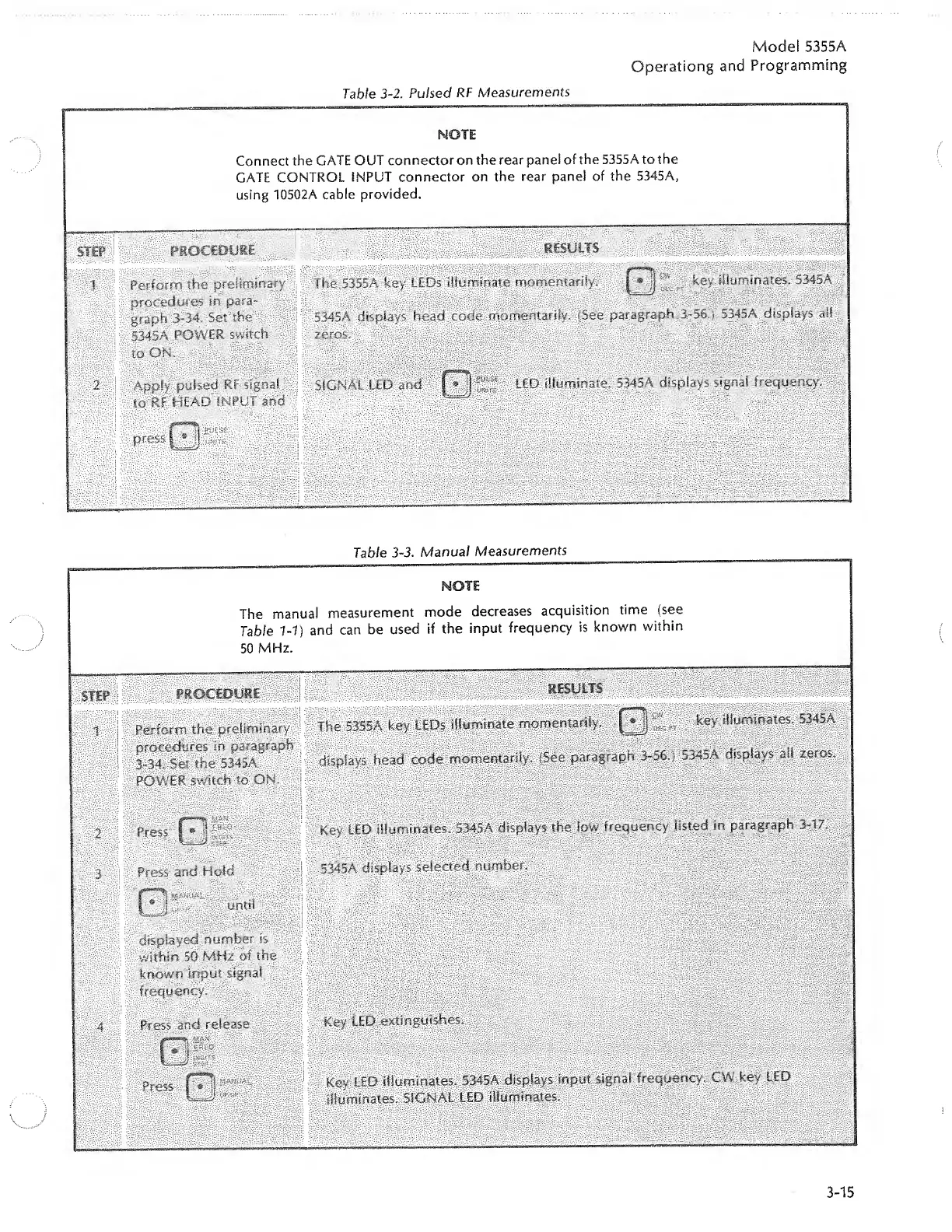
Table
3-2.
Pulsed
RT
Measurements
NOTE
Connect
the
GATE
OUT
connector
on
the
rear
panel
of
the
5355A
to
the
GATE
CONTROL
INPUT
connector
on
the
rear
pane!
of
the
5345A,
using
10502A
cable
provided.
STEP
PROCEDURE
RESULTS
SSHHi
1
Perform
the
preliminary
procedures
in
para¬
graph
3-34.
Set
the
5345A
POWER
switch
to
ON.
The
5355A
key
LEDs
illuminate
momentarily.
jjHj
^
rT
key
illuminates,
5345A
5345A
displays
head
c||%.
m
omentarily.
(See
paragraph
3-56.)
5345A
displays
all
zeros.
2
Apply
pulsed
RF
signal
to
Rf
HEAD
INPUT
and
SIGNAL
LED
and
I
LED
illuminate.
5345A
displays
signal
frequency.
L
press
wtl
Table
3~3.
Manual
Measurements
NOTE
;
The
manual
measurement
mode
decreases
acquisition
time
(see
Table
1-1)
and
can
be
used
if
the
input
frequency
is
known
within
50
MHz.
sm
PROCEDURE
||||
RESULTS
i
.
ISIS
Perform
the
preliminary
procedures
in
paragraph
3-34.
Set
the
5345A
POWER
switch
to
ON-
The
5355A
key
LEDs
illuminate
momentarily.
£*jj
key
illuminates.
5345A
displays
head
code
momentarily.
(See
paragraph
3-56.
}
5345A
displays
all
zeros.
2
Press
Key
LED
illuminates.
5345A
displays
the
low
frequency
listed
in
paragraph
3-17,
3
Press
and
Hold
5345A
displays
selected
number.
Ill-”"'
until
displayed
number
is
within
50
MHz
of
the
known
input
signal
frequency.
4
Press
and
release
Key
LED
extinguishes.
Press
1
*
ijy'c-
Key
LED
illuminates.
5345A
displays
input
signal
frequency.
CW
key
LED
illuminates.
SIGNAL
LED
illuminates.
....
_
.
.
..
...
3-15

Related product manuals