EasyManua.ls Logo

HP 54522A - Page 71

HP 54522A
292 pages
Print Icon
To Next Page IconTo Next Page
To Previous Page IconTo Previous Page
Loading...
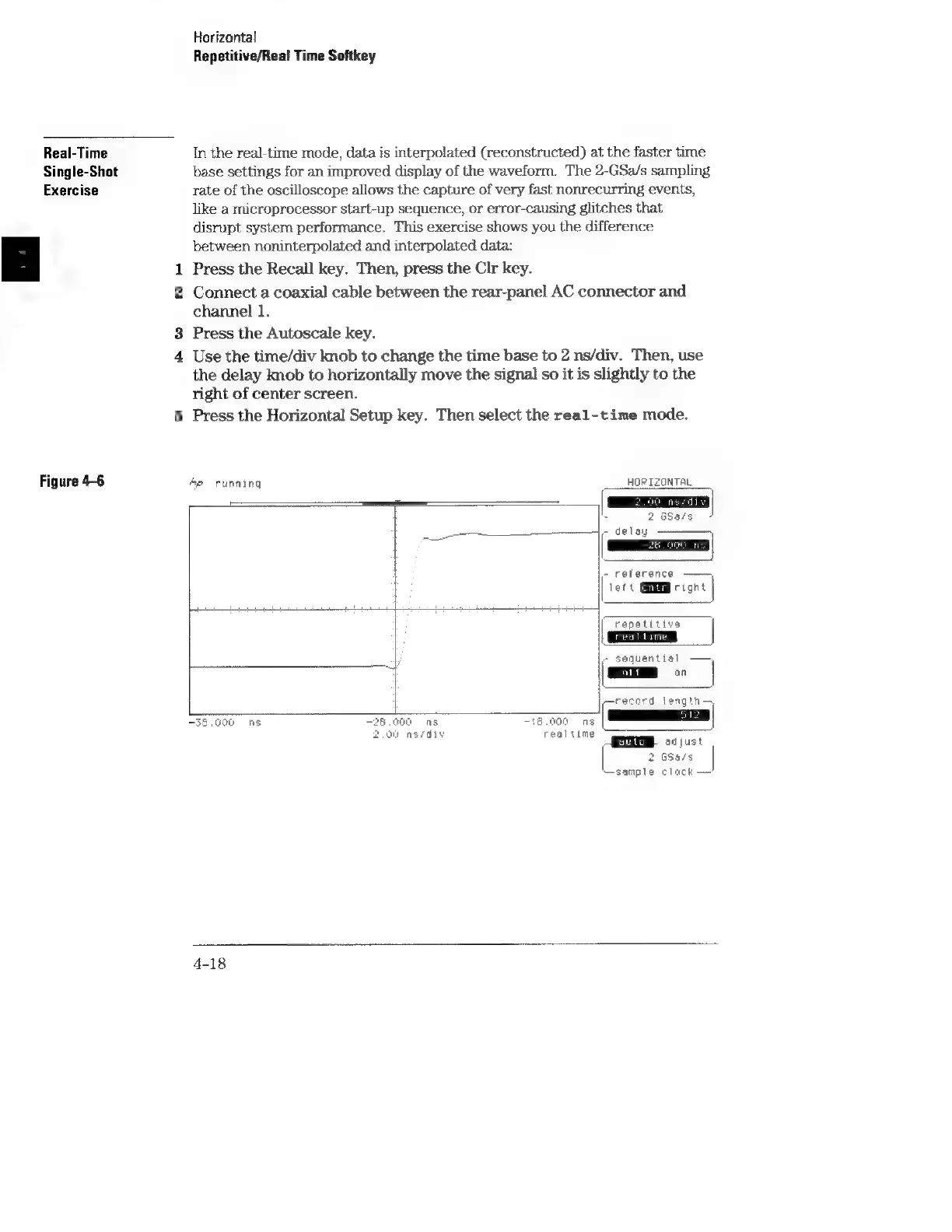
Real-Time
Single-Shot
Exercise
Figure
4-6
Horizontal
Repetitive/Real
Time
Softkey
In
the
real-time
mode,
data
is
interpolated
(reconstructed)
at
the
faster
time
base
settings
for
an
improved
display
of
the
waveform.
The
2-GSa/s
sampling
rate
of
the
oscilloscope
allows
the
capture
of
very
fast
nonrecurring
events,
like
a
microprocessor
start-up
sequence,
or
error-causing
glitches
that
disrupt
system
performance.
This
exercise
shows
you
the
difference
between
noninterpolated
and
interpolated
data:
1
Press
the
Recall
key.
Then,
press
the
Clr
key.
2
Connect
a
coaxial
cable
between
the
rear-panel
AC
connector
and
channel
1.
3
Press
the
Autoscale
key.
4
Use
the
time/div
knob
to
change
the
time
base
to
2
ns/div.
Then,
use
the
delay
knob
to
horizontally
move
the
signal
so
it
is
slightly
to
the
right
of
center
screen.
5
Press
the
Horizontal
Setup
key.
Then
select
the
real-time
mode.
op
running
HORIZONTAL
2
GSafs
_——
-
delay
|-
reference
lett
Gi
right
repetitive
|
AS
:
\-
sequential)
—,
i
i
||
on
|crecord
length
“en
be
=|
|
-35,000
hs
a0
8
i
0
ATE
sijust
2
G5a/s
“sample
clock
4-18