EasyManua.ls Logo

HP 54522A - Page 81

HP 54522A
292 pages
Print Icon
To Next Page IconTo Next Page
To Previous Page IconTo Previous Page
Loading...
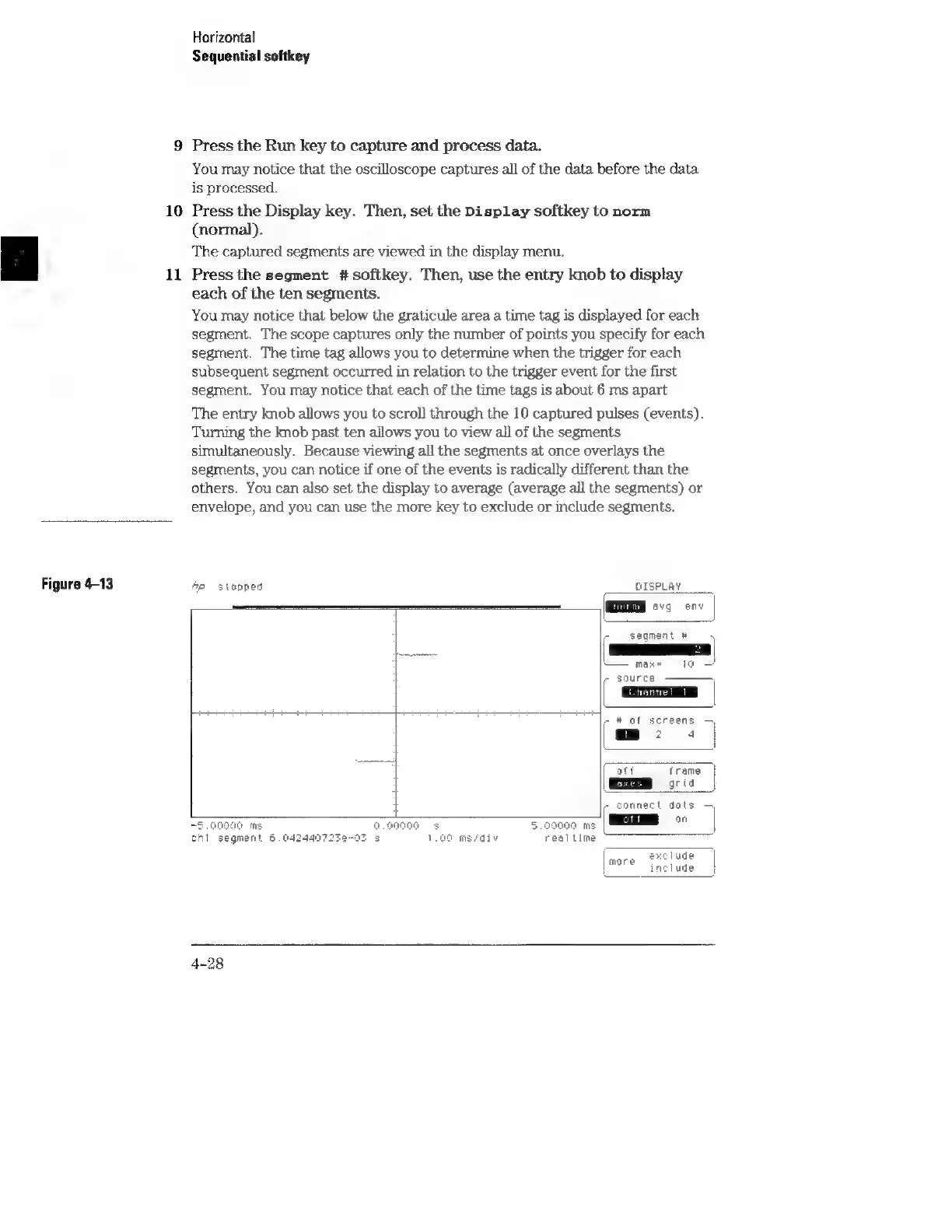
Figure
4-13
10
11
Horizontal
Sequential
softkey
Press
the
Run
key
to
capture
and
process
data.
You
may
notice
that
the
oscilloscope
captures
all
of
the
data
before
the
data
is
processed.
Press
the
Display
key.
Then,
set
the
Display
softkey
to
norm
(normal).
The
captured
segments
are
viewed
in
the
display
menu.
Press
the
segment
#
softkey.
Then,
use
the
entry
knob
to
display
each
of
the
ten
segments.
You
may
notice
that
below
the
graticule
area
a
time
tag
is
displayed
for
each
segment.
The
scope
captures
only
the
number
of
points
you
specify
for
each
segment.
The
time
tag
allows
you
to
determine
when
the
trigger
for
each
subsequent
segment
occurred
in
relation
to
the
trigger
event
for
the
first
segment.
You
may
notice
that
each
of
the
time
tags
is
about
6
ms
apart
The
entry
knob
allows
you
to
scroll
through
the
10
captured
pulses
(events).
Turning
the
knob
past
ten
allows
you
to
view
all
of
the
segments
simultaneously.
Because
viewing
all
the
segments
at
once
overlays
the
segments,
you
can
notice
if
one
of
the
events
is
radically
different
than
the
others.
You
can
also
set
the
display
to
average
(average
all
the
segments)
or
envelope,
and
you
can
use
the
more
key
to
exclude
or
include
segments.
Ap
stopped
OISPLAY
MM
eva
env
c
segment
#
\
max=
to
er
source
re
#
af
screens
mp:
4
att
Trame
grid
-
connect
dats
on
~9.00000
ms
9.90000
5
5.090000
ms
chi
segment
6.042440723e-03
5
1.00
ms/div
realtime
f
eeclude
include
more
4-28