EasyManua.ls Logo

HP 54522A - Page 80

HP 54522A
292 pages
Print Icon
To Next Page IconTo Next Page
To Previous Page IconTo Previous Page
Loading...
Figure
4-12
Time
tag
Horizontal
Sequential
softkey
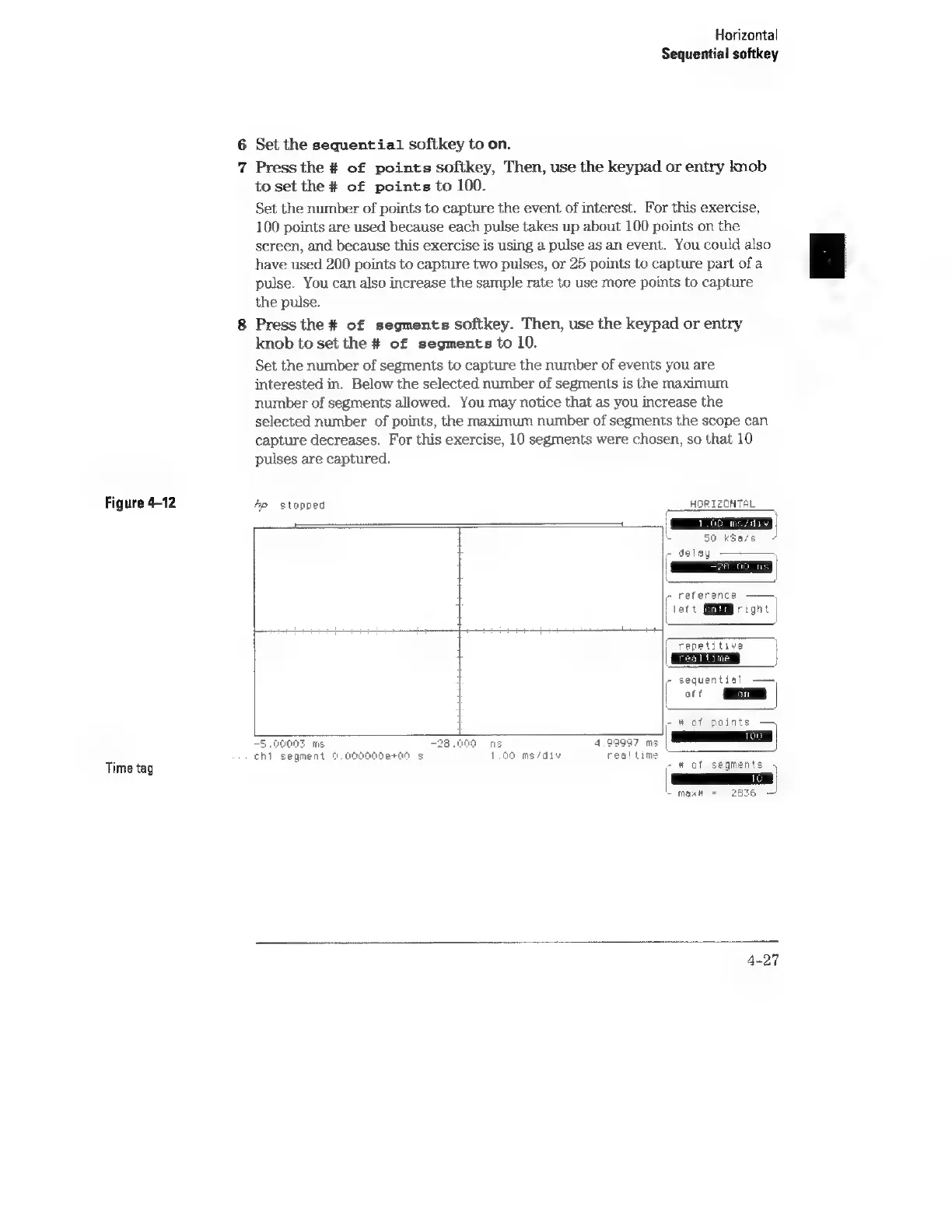
6
Set
the
sequential
softkey
to
on.
7
Press
the
#
of
points
softkey,
Then,
use
the
keypad
or
entry
knob
to
set
the
#
of
points
to
100.
Set
the
number
of
points
to
capture
the
event
of
interest.
For
this
exercise,
100
points
are
used
because
each
pulse
takes
up
about
100
points
on
the
screen,
and
because
this
exercise
is
using
a
pulse
as
an
event.
You
could
also
have used
200
points
to
capture
two
pulses,
or
25
points
to
capture
part
of
a
pulse.
You
can
also
increase
the
sample
rate
to
use
more
points
to
capture
the
pulse.
Press
the
#
of
segments
softkey.
Then,
use
the
keypad
or
entry
knob
to
set
the
#
of
segments
to
10.
Set
the
number
of
segments
to
capture
the
number
of
events
you
are
interested
in.
Below
the
selected
number
of
segments
is
the
maximum
number
of
segments
allowed.
You
may
notice
that
as
you
increase
the
selected
number
of
points,
the
maximum
number
of
segments
the
scope
can
capture
decreases.
For
this
exercise,
10
segments
were
chosen,
so
that
10
pulses
are
captured.
4p
stopped
:
HORIZONTAL
50
k3a/s
¢
delay
c
reference
j
lett
GEMM
right
DeRose
eer
renae
Litive
-
sequential
——
|
or
-
#
of
points
5.00003
ms
-28.000
ns
4.99997
ms
chi
segment
9.900000e+00
s
1.00
ms/div
realtime
7
#
of
segments
|
~
max
=
2675
4-27