20
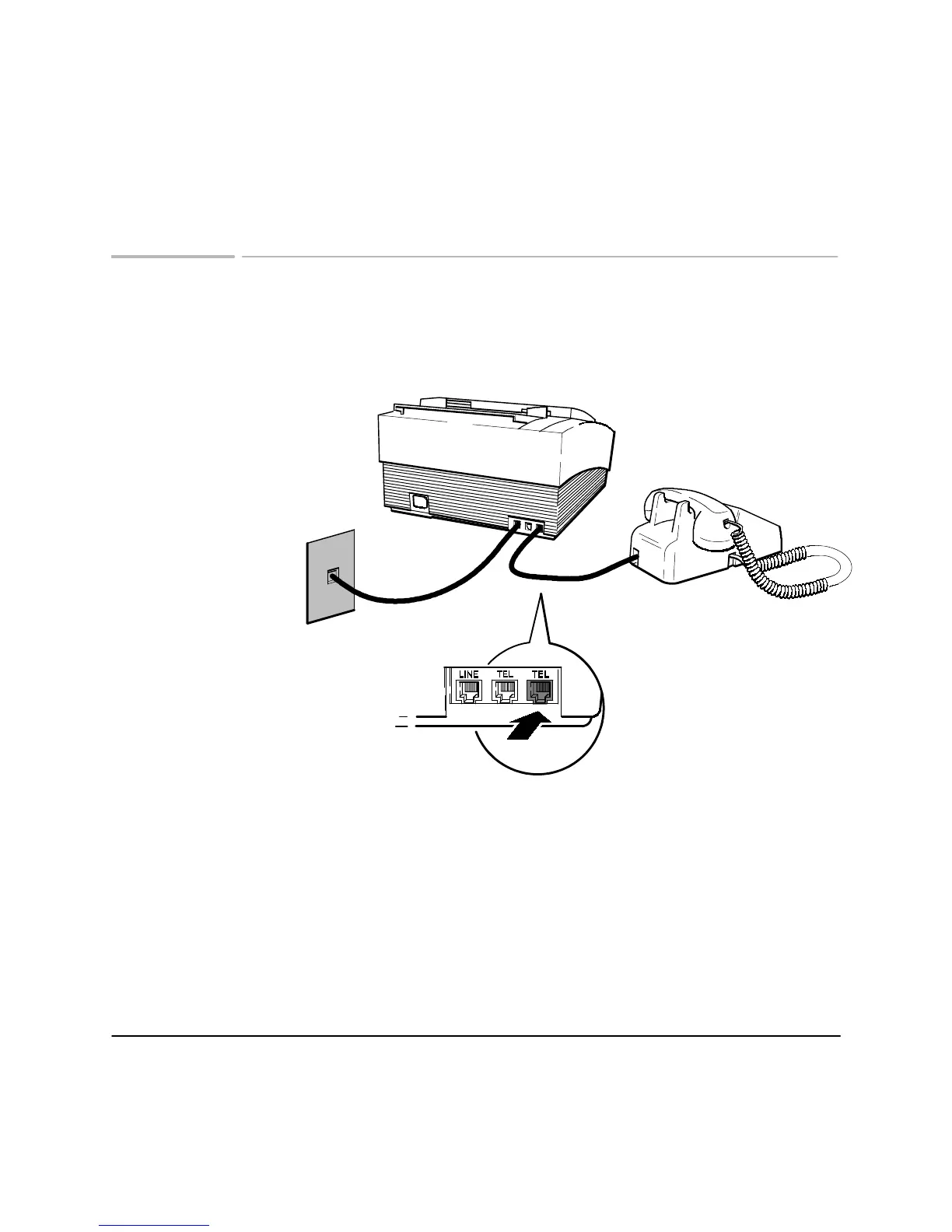
Connecting a telephone
Your HP FAX-700/750 has three line connections. Use the connection labeled LINE
to connect to the telephone wall jack. Use the connections labeled TEL to connect a
telephone or answering machine.
Plug the other end of the phone cord into
one of the connections marked TEL.
Plug one end of the phone cord
into the back of the telephone.
ek 17
When you have connected the telephone,
turn to
Managing incoming calls
and set
the Reception mode.
Telephone
Wall Jack
Topics of Interest
Managing incoming calls, 22












 To Next Page