21
Connecting a telephone answering machine
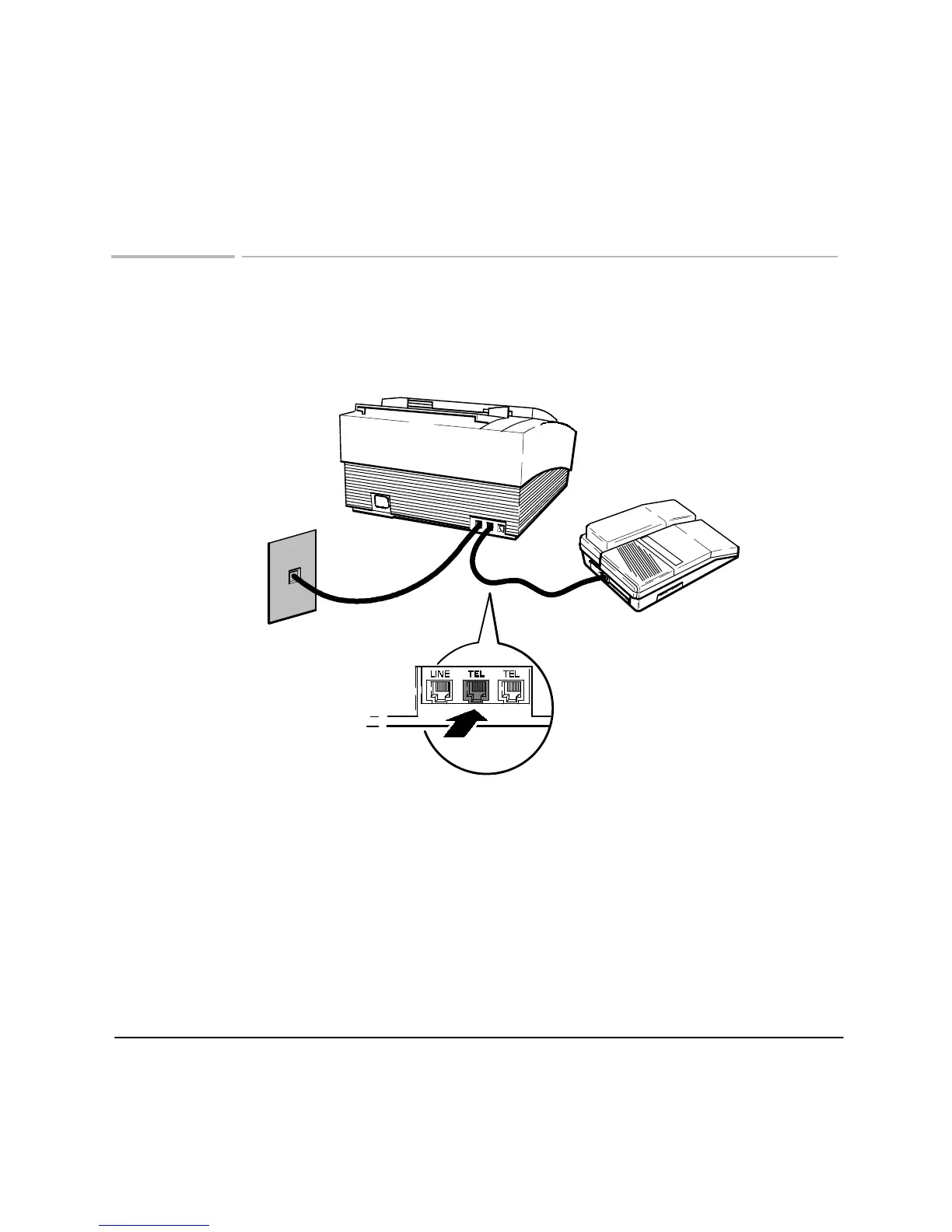
Your HP FAX-700/750 has three line connections. Use the connection labeled LINE
to connect to the telephone wall jack. Use the connections labeled TEL to connect a
telephone or answering machine.
Plug the the other end of the
answering machine line into
one of the connections marked
T
EL.
When you have connected the telephone answering
machine, turn to
Managing incoming calls
and set
the Reception mode.
ek_51
Plug one end of the
answering machine
line into the back of
the answering machine
Telephone
Wall Jack
Topics of Interest
Managing incoming calls, 22












 To Next Page