EasyManua.ls Logo

HP 700 - Storing Auto Dial Numbers

HP 700
92 pages
Print Icon
To Next Page IconTo Next Page
To Previous Page IconTo Previous Page
Loading...
30
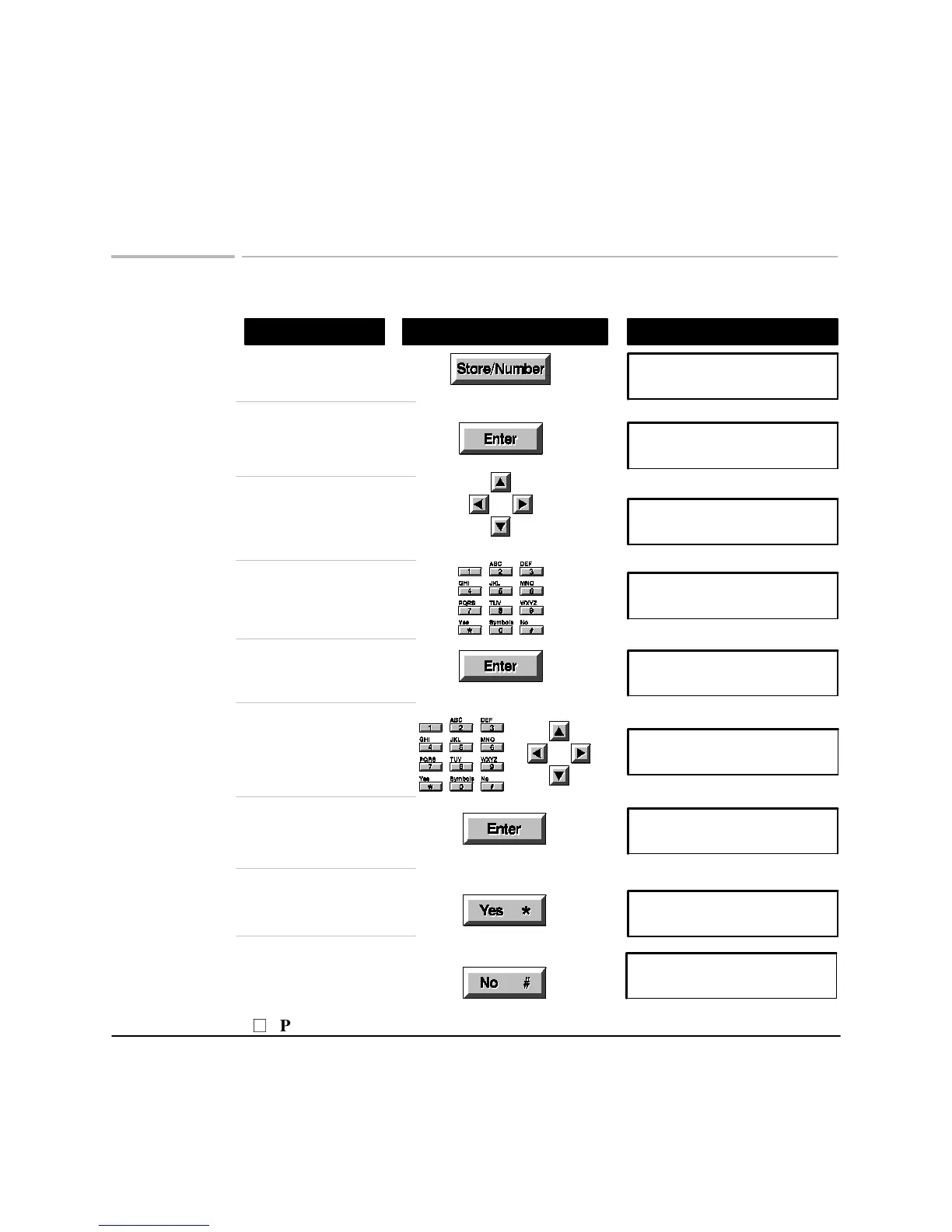
Storing Auto Dial numbers
Using These Buttons
Do This
To Display
[11]:
Name:
Press
Store/Number
Store Number (1-2)
1:Auto Dial Number
Choose
1: Auto Dial Number
Auto Dial (1-50):01
FAX Nbr: Unused
The first unused code is
shown. Browse to a different
code if you wish
Auto Dial (1-50):XX
FAX Nbr: Unused
Enter the number to store,
up to 36 digits including
spaces and pauses
Auto Dial (1-50):XX
FAX Nbr:
[11]:
Name:
Save the number
Enter a name,
up to 15 characters
Save the name
Store another number now
Auto Dial (1-50):12
FAX Nbr: Unused
To Send Fax:
Dial, Load Doc, 'START'
Finish storing numbers
Store another?
number? Yes/No
P
Press Stop to leave the menus

Related product manuals