
 Need help?
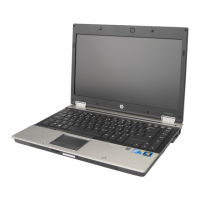
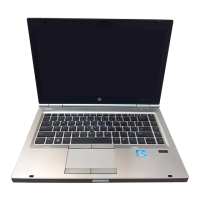
Do you have a question about the HP 8460p and is the answer not in the manual?
Learn to create, connect to, and manage wireless local area networks (WLANs).
Connect to existing Wireless Local Area Networks (WLANs) and set up new ones.
Connect to the internet using HP Mobile Broadband, including SIM card insertion and removal.
Instructions for connecting your computer to a wired network using modem cables.
Proper procedures for shutting down, sleeping, and hibernating your computer safely.
Configure power-saving states, sleep/hibernation, and power plans to optimize battery life.
Customize power plans and set up password protection for waking the computer from sleep or hibernation.
Utilize Power Assistant for power management and find information about battery status and health.
Perform a battery check, understand low battery indicators, and learn how to resolve low battery situations.
Tips for conserving battery power, proper storage, and disposal of used batteries.
Connect and use the AC adapter for power, and understand related safety precautions.
Insert, remove, and configure digital media cards and PC Cards for data storage and transfer.
Connect and manage ExpressCards and Smart Cards for enhanced functionality and security.
Connect and use USB devices and IEEE 1394 (FireWire) devices for data transfer and peripherals.
Connect and use eSATA external hard drives and older serial devices.
Secure your computer by setting passwords for Windows, BIOS, and DriveLock.
Steps to manage administrator passwords for BIOS and DriveLock to enhance system security.
 General
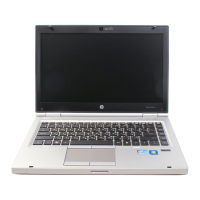
| Processor | Intel Core i5 or i7 (2nd generation) |
|---|---|
| RAM | Up to 16GB DDR3 |
| Storage | 320 GB HDD |
| Display | 14.0-inch HD (1366 x 768) |
| Graphics | Intel HD Graphics 3000 |
| Operating System | Windows 7 |
| Battery | 6-cell Li-Ion battery |
| Weight | 2.07 kg (4.56 lbs) |
| Dimensions | 33.5 x 23.14 x 3.18 cm |
| Ports | 2 x USB 3.0, 2 x USB 2.0, 1 x eSATA/USB 2.0 combo, 1 x VGA, 1 x DisplayPort, 1 x RJ-45, 1 x Headphone/Microphone combo |
| Wireless | Wi-Fi 802.11a/b/g/n |


 To Next Page