EasyManua.ls Logo

HP 8481A - Adjustments and Calibration; FET Balance Adjustment

HP 8481A
40 pages
Print Icon
To Next Page IconTo Next Page
To Previous Page IconTo Previous Page
Loading...
HP
8481A/82A/83A
08481-90049
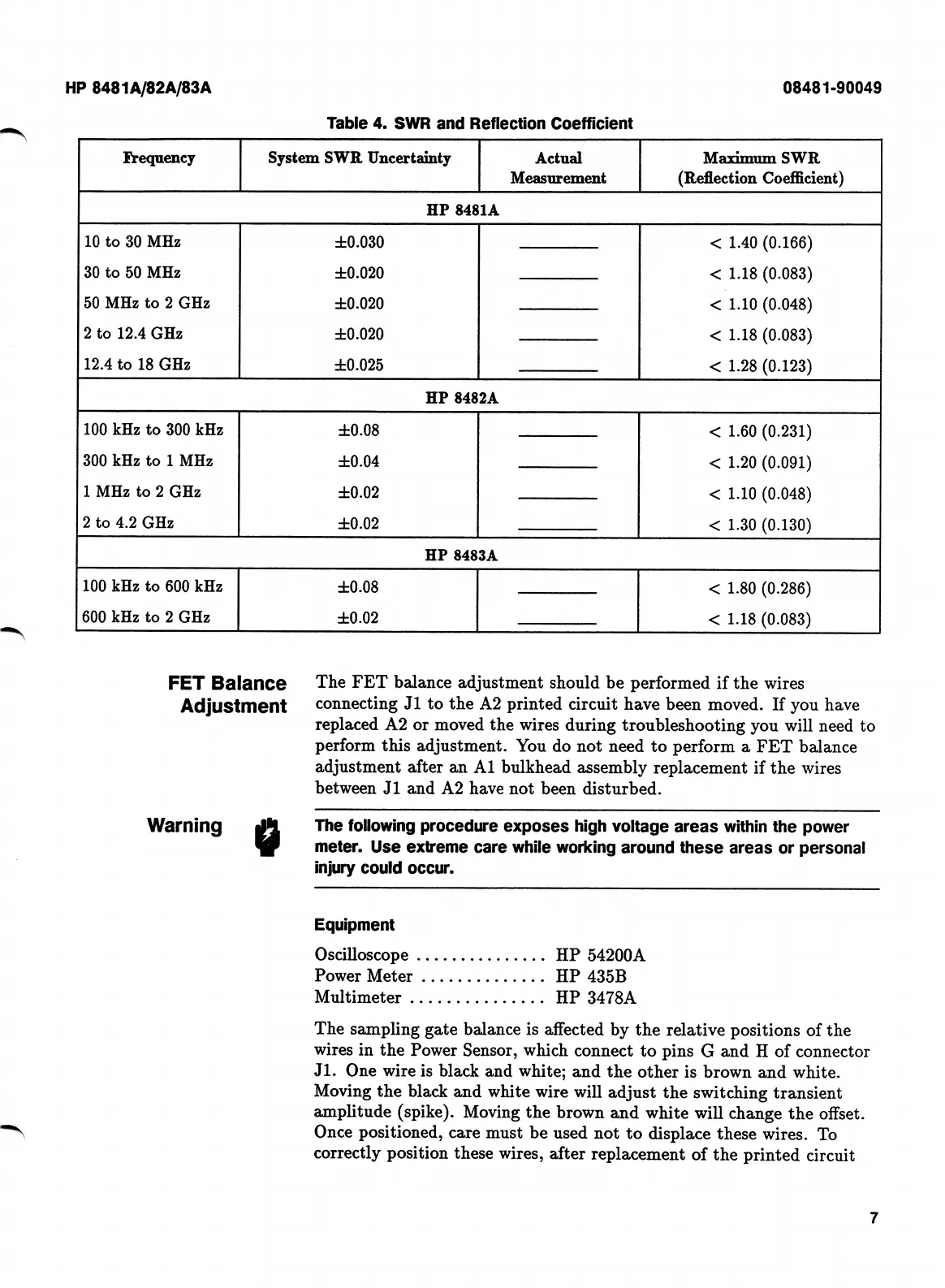
Table
4.
SWR
and
Reflection
Coefficient
System
SWR
Uncertainty
Frequency
Actual
Measurement
Maximum
SWR
(Reflection
Coefficient)
HP
8481A
10
to
30
MHz
±0.030
<
1.40
(0.166)
<
1.18
(0.083)
<
1.10
(0.048)
<
1.18
(0.083)
<
1.28
(0.123)
30
to
50
MHz
±0.020
50
MHz
to
2
GHz
±0.020
2
to
12.4
GHz
±0.020
12.4
to
18
GHz
±0.025
HP
8482A
100
kHz
to
300
kHz
±0.08
<
1.60
(0.231)
<
1.20
(0.091)
<
1.10
(0.048)
<
1.30
(0.130)
300
kHz
to
1
MHz
±0.04
1
MHz
to
2
GHz
±0.02
2
to
4.2
GHz
±0.02
HP
8483A
100
kHz
to
600
kHz
±0.08
<
1.80
(0.286)
<
1.18
(0.083)
600
kHz
to
2
GHz
±0.02
The
FET
balance
adjustment
should
be
performed
if
the
wires
connecting
J1
to
the
A2
printed
circuit
have
been
moved.
If
you
have
replaced
A2
or
moved
the
wires
during
troubleshooting
you
will
need
to
perform
this
adjustment.
You
do
not
need
to
perform
a
FET
balance
adjustment
after
an
A1
bulkhead
assembly
replacement
if
the
wires
between
J1
and
A2
have
not
been
disturbed.
FET
Balance
Adjustment
Warning
0
The
following
procedure
exposes
high
voltage
areas
within
the
power
meter.
Use
extreme
care
while
working
around
these
areas
or
personal
injury
could
occur.
Equipment
Oscilloscope
Power
Meter
Multimeter
.
The
sampling
gate
balance
is
affected
by
the
relative
positions
of
the
wires
in
the
Power
Sensor,
which
connect
to
pins
G
and
H
of
connector
Jl.
One
wire
is
black
and
white;
and
the
other
is
brown
and
white.
Moving
the
black
and
white
wire
will
adjust
the
switching
transient
amplitude
(spike).
Moving
the
brown
and
white
will
change
the
offset.
Once
positioned,
care
must
be
used
not
to
displace
these
wires.
To
correctly
position
these
wires,
after
replacement
of
the
printed
circuit
HP
54200A
HP
435B
HP
3478A
7

Related product manuals