EasyManua.ls Logo

HP 8481A - Power Sensor Reassembly

HP 8481A
40 pages
Print Icon
To Next Page IconTo Next Page
To Previous Page IconTo Previous Page
Loading...
HP
8481A/82A/83A
08481-90049
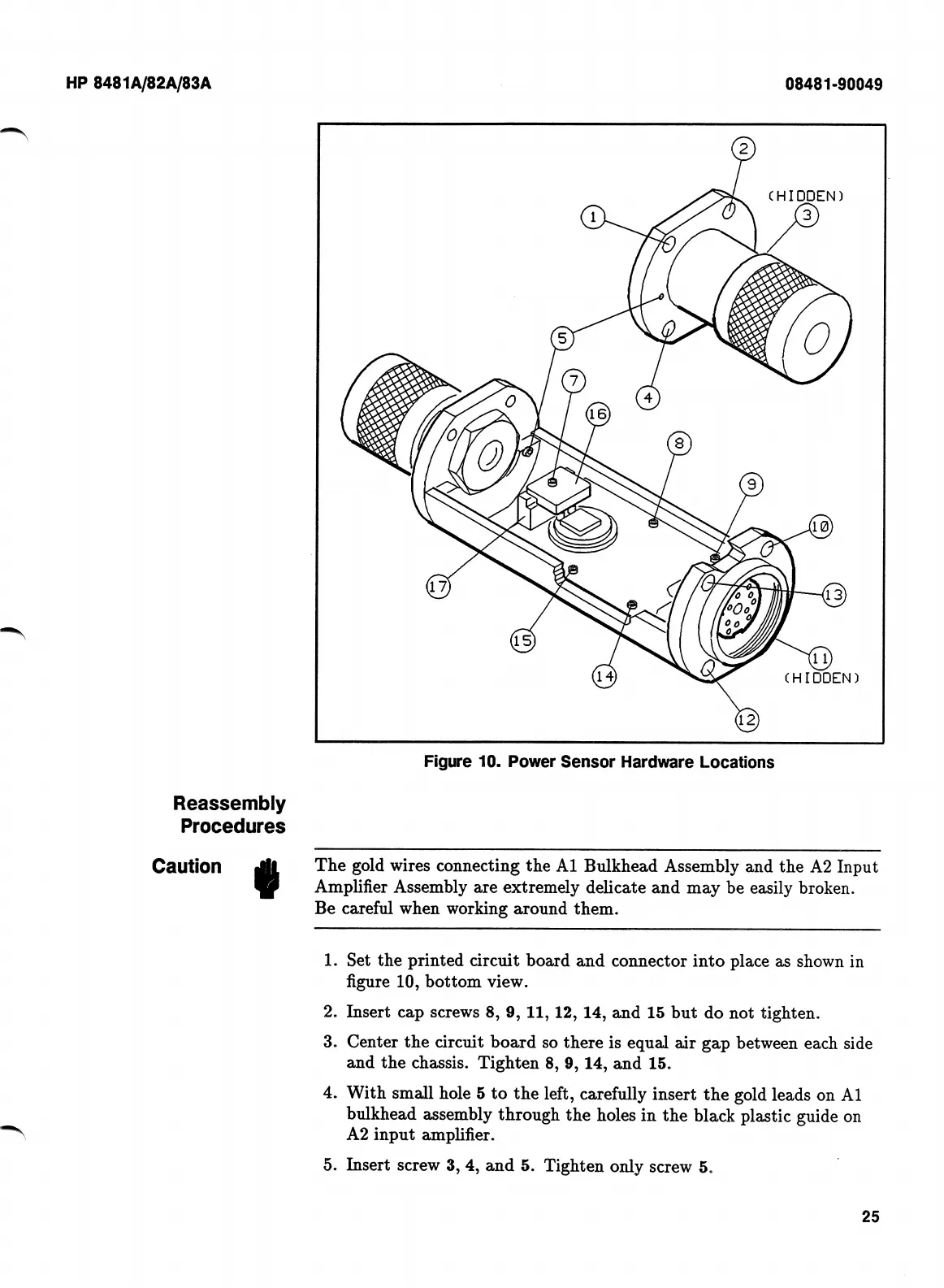
Figure
10.
Power
Sensor
Hardware
Locations
Reassembly
Procedures
Caution
The
gold
wires
connecting
the
A1
Bulkhead
Assembly
and
the
A2
Input
Amplifier
Assembly
are
extremely
delicate
and
may
be
easily
broken.
Be
careful
when
working
around
them.
Set
the
printed
circuit
board
and
connector
into
place
as
shown
in
figure
10,
bottom
view.
Insert
cap
screws
8,
9,
11,
12,
14,
and
15
but
do
not
tighten.
Center
the
circuit
board
so
there
is
equal
air
gap
between
each
side
and
the
chassis.
Tighten
8,
9,
14,
and
15.
With
small
hole
5
to
the
left,
carefully
insert
the
gold
leads
on
A1
bulkhead
assembly
through
the
holes
in
the
black
plastic
guide
on
A2
input
amplifier.
Insert
screw
3,
4,
and
5.
Tighten
only
screw
5.
1.
2.
3.
4.
5.
25

Related product manuals