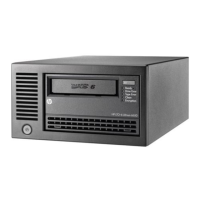
Installing an External Drive
Before You Start
2-4
Backup software that supports your tape drive.
Replica Backup for Single Server is included with the drive.
Check with your supplier for backup applications compatible with your
tape drive and operating system.
Select a Site for the Drive
You need to find a firm flat surface on which to place the drive. The site
should satisfy the following conditions:
• It should be away from doors and windows that open outside to avoid
sudden changes in temperature.
• It should be reasonably free from dust and excessive humidity. Do not
place the drive on the floor, near a door, near a heavily-traveled
walkway, or near a coffee machine.
• Keep the drive away from laser printers and photocopiers where there
could be a risk of toner entering the drive.
• Avoid placing the drive on furniture that could get knocked.
For more details on the conditions under which the drive should operate,
see “Environmental Specification” on page A-3.
Power Down the Computer
Shut down the operating system on the computer to which the drive is to
be attached and power down the computer.
dlt.book Page 4 Monday, February 12, 2001 5:42 PM


 To Next Page
 Loading...