EasyManua.ls Logo

HP P2000 G3 - User Manual

HP P2000 G3
76 pages
Print Icon
To Next Page IconTo Next Page
Loading...
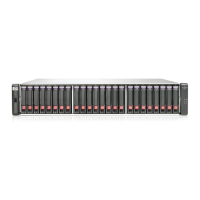
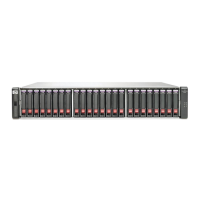
HP P2000 G3 SAS MSA System
User Guide
Part number: 614561-002
First edition: July 2011

Table of Contents

Other manuals for HP P2000 G3

Questions and Answers

  • L
    Larry BrownAug 15, 2025
    Why is the HP P2000 G3 power supply Input Power Source LED off?
    • J
      Jennifer WilliamsAug 15, 2025
      If the power supply's Input Power Source LED is off, it indicates that the power supply is not receiving adequate power. First, check that the power cord is properly connected and verify the power source. Also, ensure that the power supply FRU is firmly locked into position. You may also want to check the event log for specific details, and isolate the fault.
  • A
    awebbAug 18, 2025
    What to do if the HP P2000 G3 Storage front panel Fault LED is amber?
    • N
      ncooperAug 19, 2025
      If the front panel Fault LED is amber, a fault condition exists. Check the LEDs on the back of the controller to narrow the fault to a FRU or connection issue. If installing an I/O module FRU, the module might have failed its self-test. Check the event log for specific fault information, isolate the fault, and if necessary, try removing and reinstalling the new I/O module, checking the event log for errors.
  • K
    Kara GarciaAug 21, 2025
    Why is the HP P2000 G3 controller back panel OK LED off?
    • J
      Jason GarzaAug 21, 2025
      If the controller back panel OK LED is off, it means the controller module is not powered on or has failed. Ensure the controller module is fully inserted and latched in place and that the enclosure is powered on. Also, check the event log for specific information regarding the failure.
  • T
    theresamendezAug 25, 2025
    What does it mean if the HP P2000 G3 Storage connected host port's Host Link Status LED is off?
    • C
      Courtney BrennanAug 25, 2025
      If a connected host port’s Host Link Status LED is off, the link is down. Check cable connections and reseat if necessary, inspect cables for damage, and swap cables to check for defects. Verify that any switch is operating properly and test with another port if possible. Ensure the HBA is fully seated and the PCI slot is powered on. Review event logs in SMU for fault indicators.
  • T
    treidAug 27, 2025
    Why is the HP Storage power supply Voltage/Fan Fault/Service Required LED amber?
    • N
      Nathan MillerAug 27, 2025
      If the power supply’s Voltage/Fan Fault/Service Required LED is amber, the power supply unit or a fan is operating at an unacceptable voltage/RPM level, or has failed. When isolating faults, remember that the fans in both modules receive power through a common bus on the midplane, so if a power supply unit fails, the fans continue to operate normally. Check that the power supply FRU is firmly locked into position, that the power cable is connected to a power source and that the power cable is connected to the power supply module.
  • N
    Nancy ThompsonAug 30, 2025
    What does it mean if the HP P2000 G3 controller back panel Fault/Service Required LED is amber?
    • B
      Brian HooverAug 31, 2025
      If the controller back panel Fault/Service Required LED is amber, one of the following errors has occurred: a hardware-controlled power-up error, a cache flush error, or a cache self-refresh error. Try restarting the controller from the other controller using SMU or the CLI, or remove and reinsert the controller.
  • K
    Kevin GutierrezSep 2, 2025
    What does it mean if the HP P2000 G3 Storage connected port's Expansion Port Status LED is off?
    • J
      Janet SmithSep 2, 2025
      If a connected port’s Expansion Port Status LED is off, the link is down. Check cable connections and reseat if necessary, inspect the cable for damage, and swap cables to determine if the fault is due to a defective cable. Review the event logs in SMU for indicators of a specific fault in a host data path component.
  • W
    Wesley DeleonSep 5, 2025
    Why are both disk drive module LEDs off on my HP P2000 G3?
    • B
      brandonmartinSep 5, 2025
      If both disk drive module LEDs are off (Online/Activity and Fault/UID), it indicates there is no power, the disk is offline, or the disk is not configured. Check that the disk drive is fully inserted and latched in place, and that the enclosure is powered on.
  • P
    pamelaandersonSep 8, 2025
    Why is the HP P2000 G3 Storage disk drive module Fault/UID LED blinking amber?
    • D
      David GarciaSep 8, 2025
      If the disk drive module Fault/UID LED is blinking amber, the disk drive is offline, and a predictive failure alert may have been received, or the disk drive is active, but a predictive failure alert may have been received for this device. Check the event log for specific information regarding the fault, and isolate the fault.
  • B
    Brianna BellSep 12, 2025
    What to do if the HP P2000 G3 enclosure does not initialize?
    • W
      Wayne CruzSep 12, 2025
      If the enclosure does not initialize, perform a rescan. If that doesn't work, power cycle the system. Ensure the power cord is properly connected and check the power source. Also, check the event log for errors.

Summary

System components

Installing the enclosures

Installation checklist

A step-by-step guide for installing controller and drive enclosures.

Cabling and connections

Covers connecting controllers to various drive enclosures, including mixed types.

Cable requirements and considerations

Details on SAS cable types, lengths, and considerations for mixed configurations.

System power management

Testing enclosure connections

Steps to verify that enclosures are connected and powered correctly.

Powering on and off procedures

Outlines the correct sequence for powering the system on and off.

Connecting hosts

Host system requirements

Specifies the necessary requirements for host systems connecting to the MSA array.

Direct attach configurations

Details on connecting servers directly to the controller using SAS host ports.

Remote management and firmware updates

Covers connecting management hosts and updating system firmware.

Controller CLI port connection

Basic operation and management

Configuring and provisioning the system

Steps for initial system configuration and storage provisioning using SMU.

Troubleshooting system faults

Fault isolation methodology

A systematic approach to diagnosing and locating system faults.

Power supply and controller failure

Addresses power supply issues and controller failure scenarios.

Cache and host-side connection issues

Troubleshooting cache status, transporting cache, and host-side connection faults.

Environmental monitoring and sensors

LED descriptions

Environmental and safety requirements

Electrostatic discharge (ESD) precautions

HP P2000 G3 Specifications

General IconGeneral
ModelP2000 G3
CategoryStorage
Drive SupportSAS, SATA
Host InterfaceiSCSI, Fibre Channel, SAS
Form Factor2U
RAID Levels0, 1, 5, 6, 10
Cache2 GB
Drive Bays12 (SFF), 24 (SFF), 12 (LFF)
Cache Memory2GB per controller
Operating Temperature10°C to 35°C
Power SupplyRedundant
Expansion OptionsDisk Enclosures

Related product manuals