13
2. The emergency video recording length is same as the recording
interval setting. When the emergency recording length reaches
the setting, the system will return to the general recording mode.
Note:
1. If the Collision Detection function is enabled and a collision is detected, the camcorder
will automatically trigger the emergency recording.
2. The emergency file is created as a new file and saved in Emergency folder, which will be
protected to avoid being overwritten by normal loop recording. The Emergency folder will
occupy 40% of available memory card capacity. For example, if you use 8GB memory card,
about 3.2GB memory space will be saved for emergency files. When the Emergency folder
is full, the oldest emergency file will be automatically deleted by the newest emergency
file.
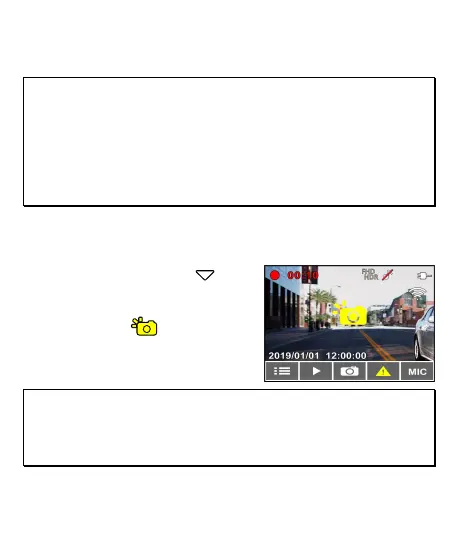
3.2 Picture in Video
You can also use this camcorder to take snapshots of the current
scene.
1. In recording status, press to
capture recording screen shots
from the front (and rear) lens.
2. When the icon shows in the
central of screen, it means the
screenshots is completed.
Note:
1. The screen shots image resolution quality is depending on the video resolution setting.
2. The picture resolution is limited by the speed of the target object and changes in ambient
lighting. The photograph function is better used for taking still pictures in accident scenes
or when the car is stopped to wait for a traffic light.



 To Next Page