©2015 Recycler Publishing & Events Ltd THE RECYCLER - TECHNICAL GUIDE PAGE 3
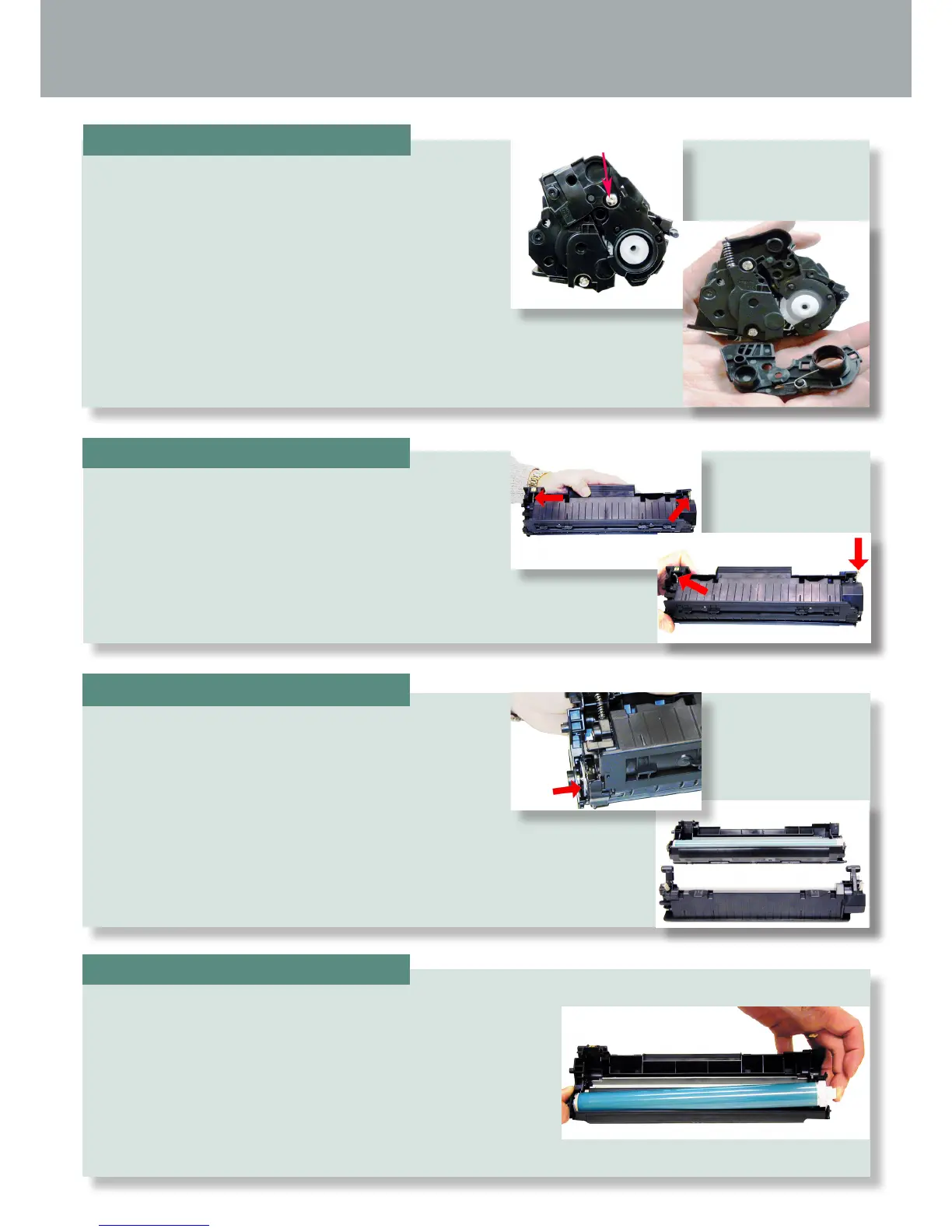
With the pair of needle-nose pliers, release both the
hopper tension springs.
TECHNICAL GUIDE
By Mike Josiah and the Technical Staff at Uninet
Slide the waste/drum section over to the left side.
Separate the two halves.
With the handle facing you, remove the right side
screw and end cap from the cartridge. Be careful of
the drum cover spring! Remove it with the end cap.
STEP ONE
STEP THREE
On the waste/drum section, lift the drum up from the gear
side. Twist and remove from the hopper.
STEP TWO
STEP FOUR







 To Next Page