©2015 Recycler Publishing & Events Ltd THE RECYCLER - TECHNICAL GUIDE PAGE 8
TECHNICAL GUIDE
By Mike Josiah and the Technical Staff at Uninet
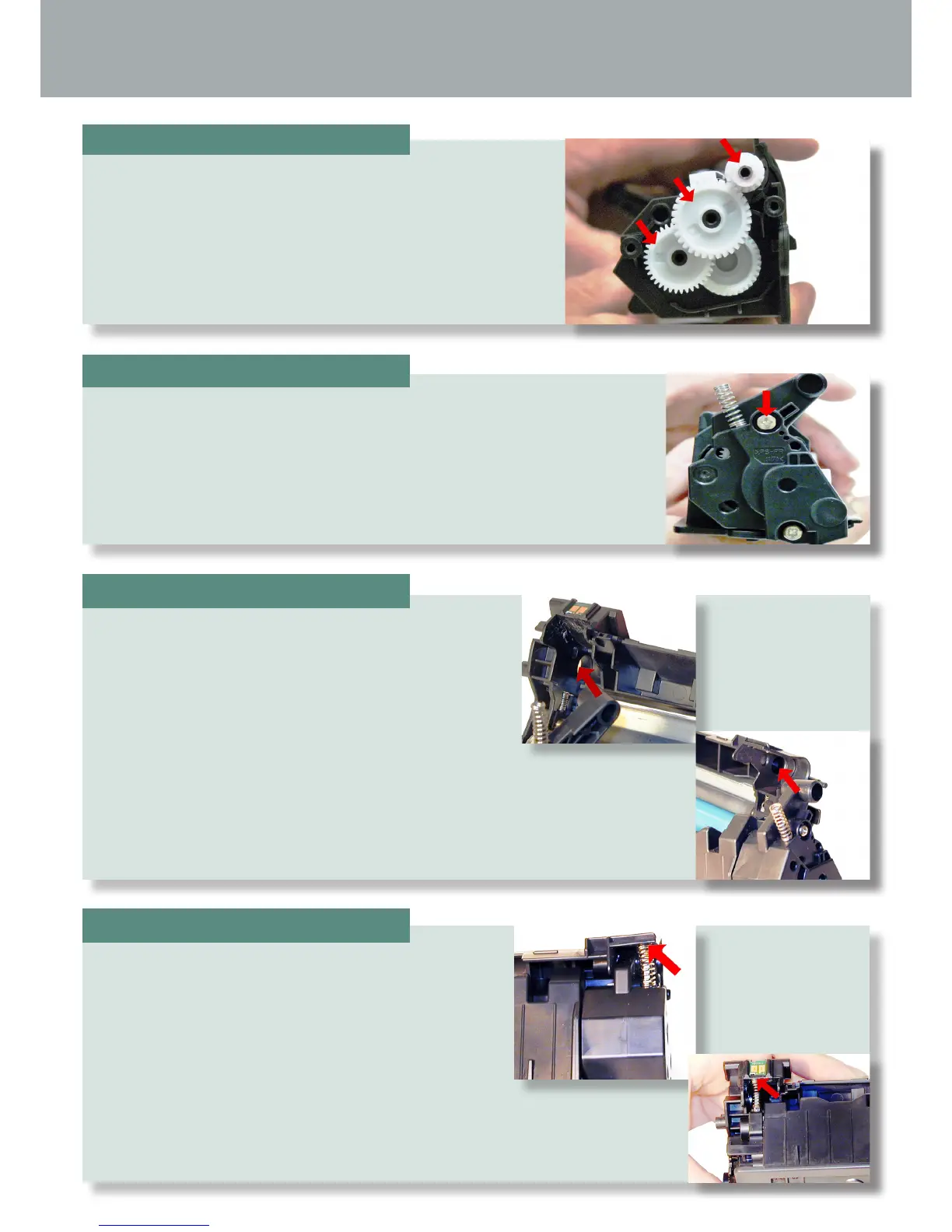
Install the gears as shown.
Install the end cap and screws.
Place the drum/waste hopper into the toner hopper.
Slide it over so the round hinge pins t into their
respective holes.
Set the hopper tension springs back in place.
STEP TWENTY-FOUR
STEP TWENTY-FIVE
STEP TWENTY-SIX
STEP TWENTY-SEVEN










 To Next Page