
 Need help?
Do you have a question about the HP Chromebook 11MK G9 EE and is the answer not in the manual?
With a surface greater than 10 sq cm.
All types including standard alkaline, coin or button style batteries.
Battery(ies) attached by screws. Detailed removal procedures in sections 3.1 and 3.2.
Includes mercury in lamps, display backlights, scanner lamps, switches, batteries.
Surface greater than 100 sq cm, includes gas discharge lamps 11.6".
Measuring greater than 2.5 cm in diameter or height.
DC Cable for External Power Supply.
Weighing > 25 grams (not including PCBs or PCAS).
Include cartridges, print heads, tubes, vent chambers, and service stations.
Tool for disassembly, size #1.
Steps to remove components and external enclosure for selective treatment.
Graphic to identify items requiring selective treatment and their locations.
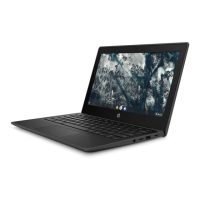
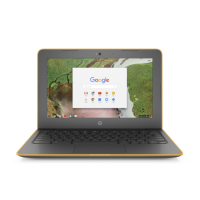
This document outlines the disassembly procedures for the HP Chromebook 11MK G9 EE / Ozu / OGMA, a notebook and tablet PC, primarily for end-of-life recyclers and treatment facilities. The core function of this guide is to facilitate the removal of components and materials requiring selective treatment, as mandated by EU directive 2012/19/EC (WEEE). This ensures proper handling and disposal of potentially hazardous or recyclable parts, contributing to environmental sustainability.
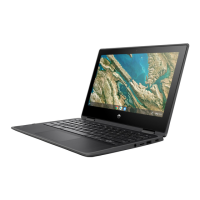
The device itself, as implied by the disassembly instructions, is a portable computing solution, likely designed for educational or general productivity use, given its "Chromebook" designation. Chromebooks are known for their reliance on the Chrome OS, a cloud-centric operating system, which typically results in a streamlined user experience, fast boot times, and robust security features. The "notebook and tablet PC" category suggests a versatile form factor, possibly a 2-in-1 design that allows it to function both as a traditional laptop with a keyboard and a touchscreen tablet. This adaptability makes it suitable for a wide range of tasks, from typing documents and browsing the web to consuming media and using touch-optimized applications.
Usage features, though not explicitly detailed for the end-user in this disassembly guide, can be inferred from the components listed for removal. The presence of a "Liquid Crystal Display (LCD) with a surface greater than 100 sq cm" and specifically "11.6 inches" indicates a compact screen size, ideal for portability and on-the-go use. The mention of "background illuminated displays with gas discharge lamps" suggests a display technology that provides clear visuals in various lighting conditions. The inclusion of "Li-Ion batteries" points to a device designed for extended use away from a power outlet, a crucial feature for mobile computing. The instructions also refer to "external electrical cables and cords," specifically a "DC Cable for External Power Supply," confirming that the device is rechargeable and can be powered via an external adapter.
The disassembly process itself highlights several internal components that contribute to the device's functionality. The "Printed Circuit Boards (PCB) or Printed Circuit Assemblies (PCA)" are the fundamental electronic brains of the device, housing the processor, memory, and other critical integrated circuits that enable all computing operations. The "M/B (Motherboard)" and "USB board" are central to connecting various peripherals and managing data flow. The "WLAN Module" indicates wireless connectivity capabilities, essential for accessing the internet and network resources without physical cables. The "SPK (Speaker)" components suggest integrated audio output, allowing for multimedia consumption and communication. The "CCD module" likely refers to a camera, enabling video conferencing, photography, or other visual input functionalities. The "K/B membrane" and "TP (Touchpad)" on the USB board confirm the presence of a physical keyboard and a pointing device for user interaction, typical of a notebook.
Maintenance features, from the perspective of an end-of-life recycler, are the primary focus of this document. The guide meticulously details the steps required to dismantle the device, ensuring that specific materials are isolated for proper recycling or disposal. For instance, the instruction to "Remove Base screws" and subsequently "Remove Top cover" are the initial steps to access the internal components. The sequential removal of various cables—"Batt. Cable, FFC, SPK. Cable, LCD Cable, CCD Cable, Antenna Cable, The WLAN Module Screw, 30PIN/40PIN FFC on USB board and Power Cable on USB board"—demonstrates the intricate wiring system and the need for careful disconnection to avoid damage during disassembly. The removal of "Screws on SPK, SPK Box, Batt, remove Batt bracket and SPK Box" and then "Release Batt." are crucial for safely extracting the battery, which is a key component requiring selective treatment due to its chemical composition. Similarly, the instructions to "Remove Screws on M/B, USB board and disassemble M/B, USB board on C Deck" and "Remove Screw of Hinge on C Deck and release LCD assy" are vital for separating the main electronic boards and the display unit. The subsequent steps, "Remove Bezel from LCD assy," "Remove Screws which are fixed hinge and panel BKT, release panel," and "Remove hinges, and CCD module," further break down the display assembly and other structural elements.
The document also emphasizes the importance of sorting plastic materials based on their ISO 11469 plastic marking code, a critical maintenance feature for effective plastic recycling. This attention to detail in material separation underscores the commitment to minimizing environmental impact at the end of the product's life. The inclusion of a "Screw Driver" as the required tool, specifically a "#1" size, indicates that the device is designed with relatively standard fasteners, simplifying the disassembly process for recyclers. The overall structure of the guide, with its clear, numbered steps and accompanying visual aids, serves as a comprehensive maintenance manual for end-of-life processing, ensuring that the device's components are handled responsibly and in accordance with environmental regulations.
 General
| Storage | 32 GB eMMC |
|---|---|
| Operating System | Chrome OS |
| Camera | 720p HD camera |
| Audio | Dual speakers |
| Processor | Intel Celeron N4500 |
| Display | 11.6-inch HD (1366 x 768) |
| RAM | 4GB LPDDR4 |
| Ports | 1 x headphone/microphone combo |
| Wireless | Wi-Fi 6 (802.11ax), Bluetooth 5.0 |
| Dimensions | 285 x 192 x 18 mm |



 To Next Page