36 Getting Started Guide
Chapter 3: Upgrading and routine care
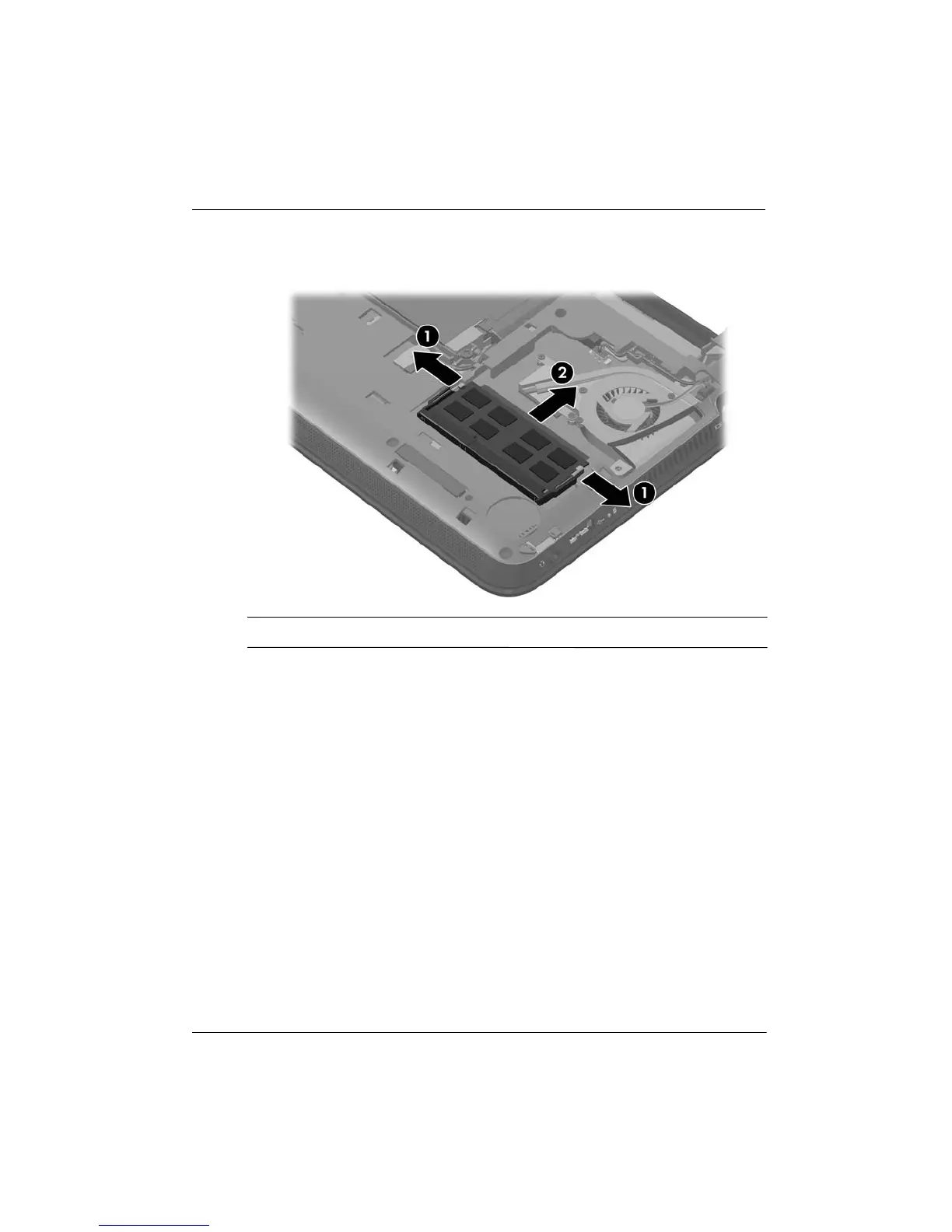
b. Grasp the edge of the memory module 2, and gently pull the module out of the
memory module slot.
✎
To protect a memory module after removal, place it in an electrostatic-safe container.
7. Insert a new memory module:
Ä
CAUTION: To prevent damage to the memory module, hold the memory module
by the edges only. Do not touch the components on the memory module, and do not
bend the memory module.
a. Align the notched edge 1 of the memory module with the tab in the memory
module slot.
b. With the memory module at a 45-degree angle from the surface of the memory
module compartment, press the module 2 into the memory module slot until it is
seated.











 To Next Page