Getting Started Guide 37
Chapter 3: Upgrading and routine care
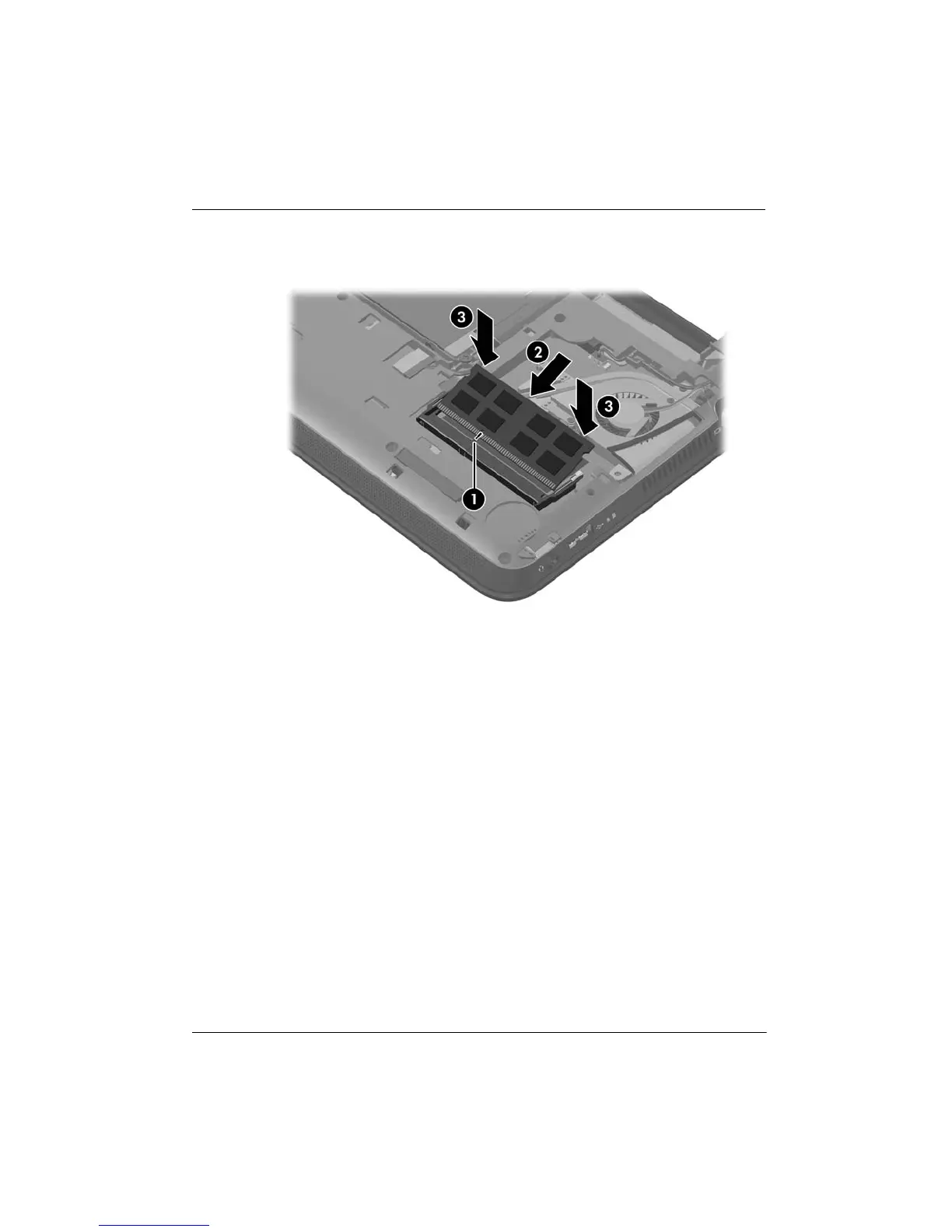
c. Gently press the memory module 3 down, applying pressure to both the left and
right edges of the memory module, until the retention clips snap into place.
8. Replace the vanity cover:
a. With the battery bay toward you, insert the 4 tabs on the front edge of the vanity
cover into the 4 slots in the base 1.
b. Rotate the back edge 2 of the vanity cover toward you, and then firmly press it
down until it snaps into place.














 To Next Page