Connecting a modem cable
WARNING! To reduce the risk of electric shock, fire, or damage to the equipment, do not plug
a modem or telephone cable into the RJ-45 (network) jack.
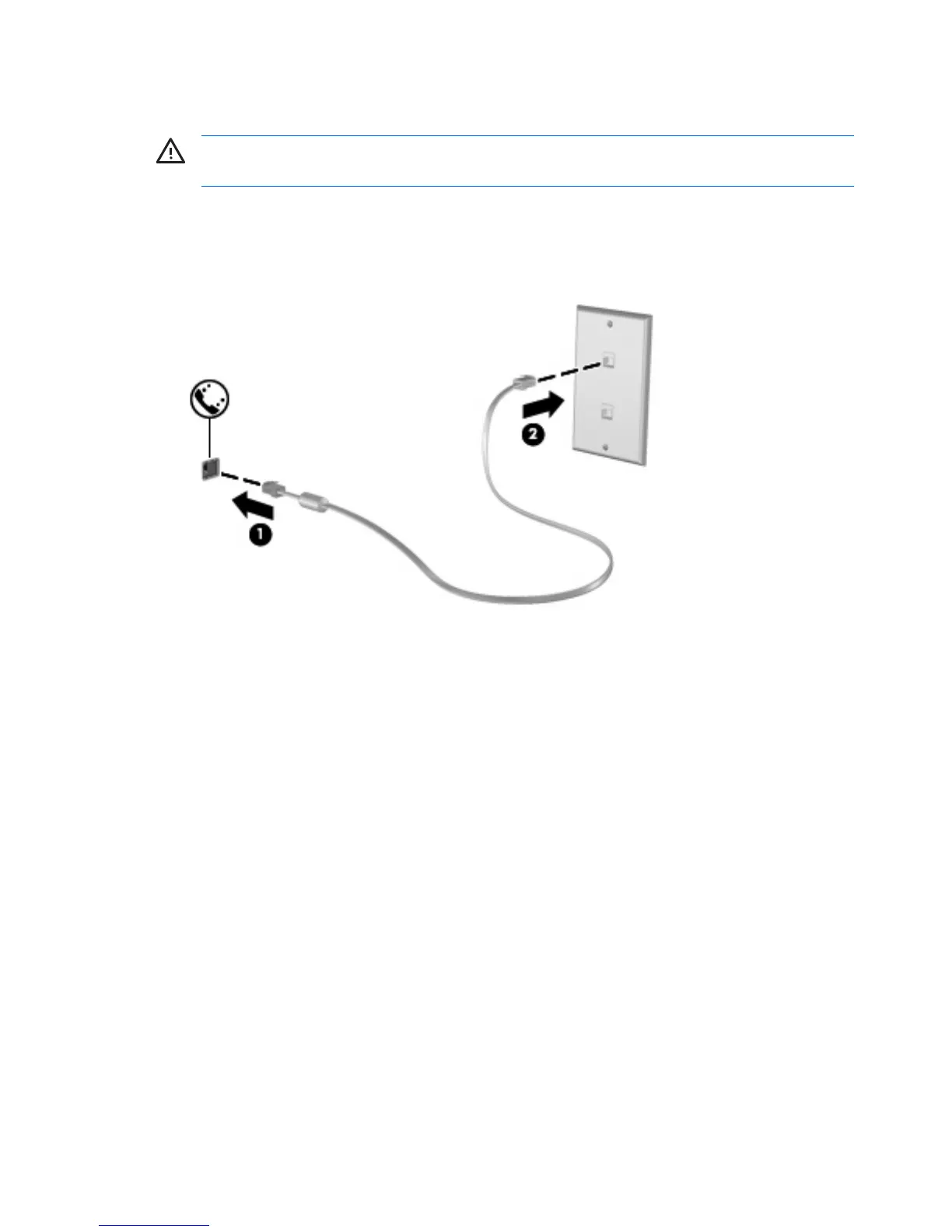
To connect a modem cable:
1. Plug the modem cable into the modem jack (1) on the computer.
2. Plug the modem cable into the RJ-11 telephone wall jack (2).
2 Chapter 1 Using the modem (select models only) ENWW



 To Next Page
 Loading...