Connecting a country-specific modem cable adapter
Telephone jacks vary by country. To use the modem and the modem cable outside the country in which
you purchased the computer, you must obtain a country-specific modem cable adapter.
To connect the modem to an analog telephone line that does not have an RJ-11 telephone jack, follow
these steps:
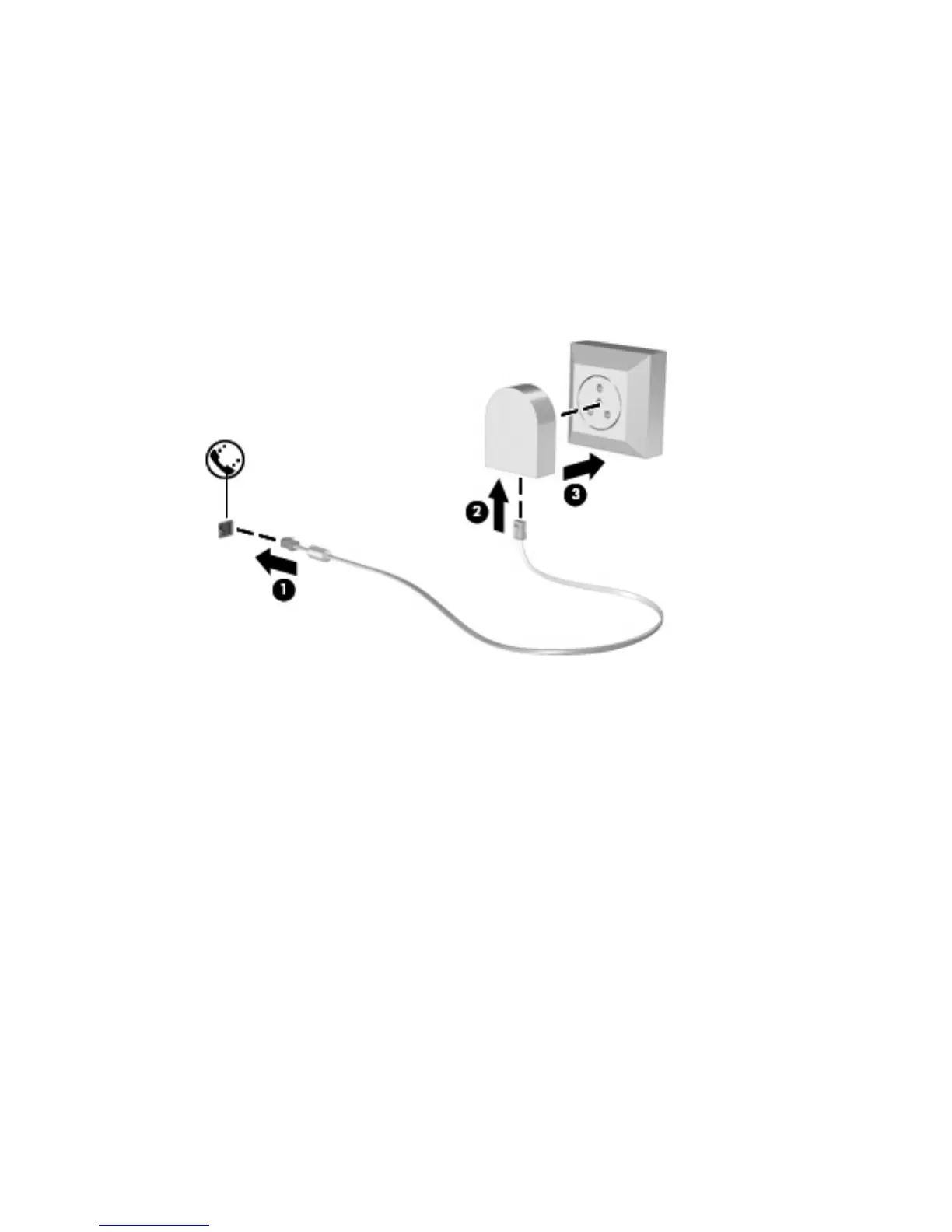
1. Plug the modem cable into the modem jack (1) on the computer.
2. Plug the modem cable into the country-specific modem cable adapter (2).
3. Plug the country-specific modem cable adapter (3) into the telephone wall jack.
ENWW Connecting a country-specific modem cable adapter 3



 To Next Page
 Loading...