4
Company confidential. Murillo QRG. Edition 1. Freeze Status: not frozen
This is the cyan on page 4 (seq: 4)
This is the black on page 4 (seq: 4)
B
6 Rest the spindle upright on the
floor with media stop (A) at the
bottom
7 Place the new roll on the spindle,
so that the media’s leading edge
winds clockwise, viewed from
above.
If the media stop (A) falls off,
push it back in until it snaps into
position.
A
8 Push the end–cap back in, so
that the tabs are flush against
the end of the roll.
9 Insert the spindle with media stop (A) to the right and
end–cap (B) to the left. Push in firmly on both ends, making
sure the media remains flush against media stop (A).
The media should wind up from behind the roll.
B
0015 1837
0016
A
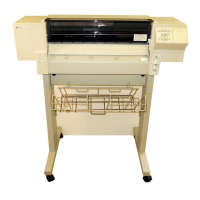
Localization Note. Graphics on this page have been taken from the 750C English User’s
Guide pages 3–11 and 3–12..


 To Next Page
 Loading...