14
Beyond the Basics
2
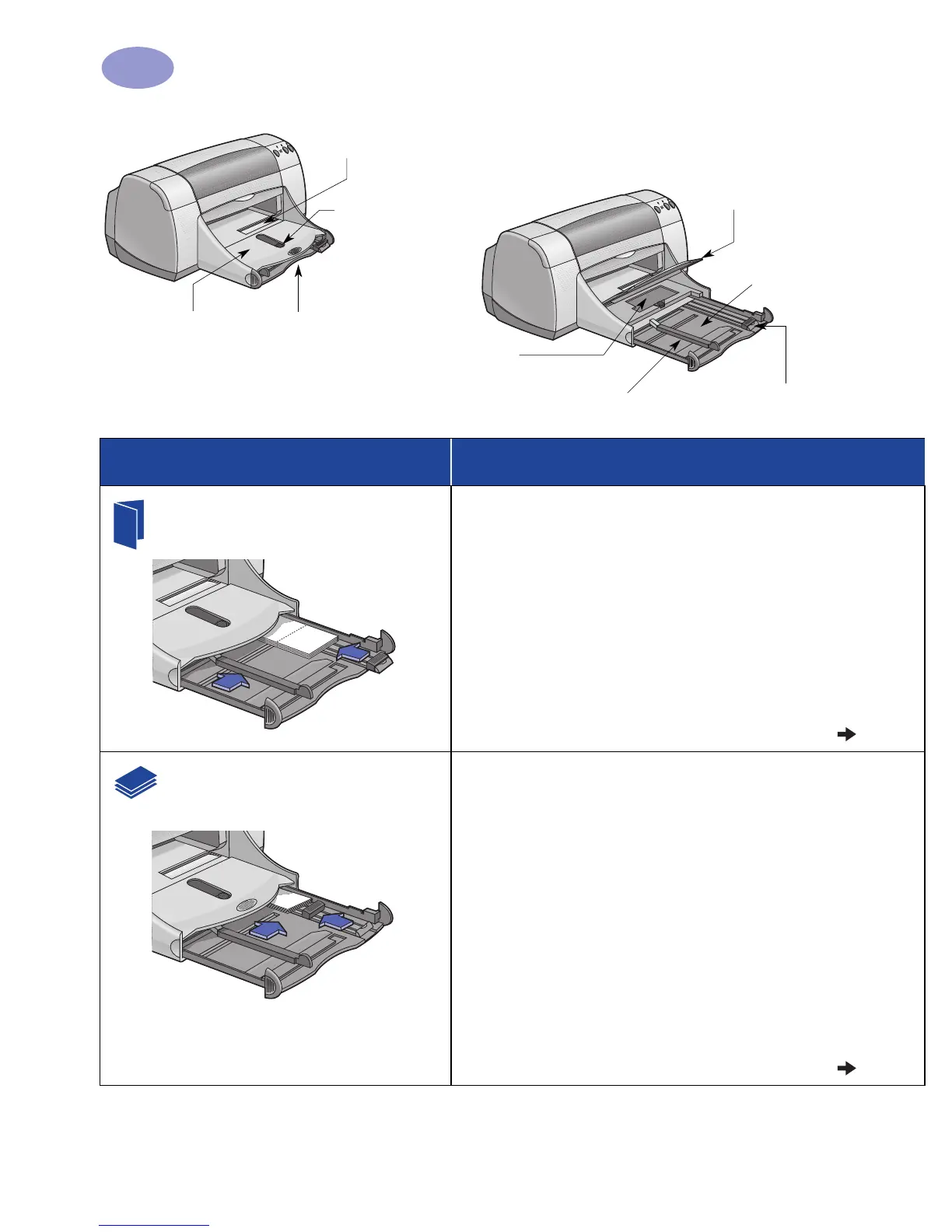
OUT tray down
Paper width guide
Photo Tray
IN tray pulled out
OUT tray up
Photo Tray Button
Single envelope slot
Paper length guide
IN tray pushed in
I want to print… I should…
Greeting Cards
1 Slide out both of the paper guides, and remove all
paper from the IN tray.
2 Insert up to 5 cards into the IN tray as far as they will
go.
3 Slide the paper guides snugly against the edges of
the cards.
4 Make sure the IN tray is pushed in.
5 Choose the print settings that match the type and size
of the cards.
6 Print the cards.
Cards (index, business, and
other small media)
1 Pull out the IN tray.
2 Slide out both of the paper guides, and remove all
paper from the IN tray.
3 Insert up to 30 cards into the IN tray as far as they
will go.
4 Push the paper length guide in as far as it will go.
Push the fine-length guide (colored portion of paper
length guide) snugly against the small media. Then
push the paper width guide in.
5 Make sure the IN tray is pushed in.
6 Choose the print settings that match the type and size
of the cards.
7 Print the cards.


 To Next Page
 Loading...