
 Need help?
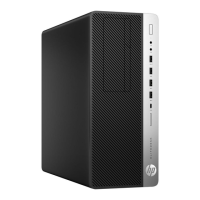
Do you have a question about the HP Elite Tower 800 G9 and is the answer not in the manual?
PCBs/PCAs larger than 10 sq cm, including main boards and modules.
Non-Li-Ion batteries like alkaline, coin, or button cells.
All Li-Ion batteries, whether attached via screws, snaps, or adhesive.
Components containing mercury, such as in lamps or switches.
LCDs larger than 100 sq cm, especially those with gas discharge lamps.
Capacitors measuring over 2.5 cm in diameter or height.
Power cords and data cables connected to the product.
Specific plastic parts containing brominated flame retardants.
Items like toner cartridges, print heads, and ink components.
Materials or components identified as containing asbestos.
Components containing CFCs, HCFCs, HFCs, or hydrocarbons.
Hexagon screw drivers, specifically T-15 size, for disassembly.
Crisscross (Phillips) head screw drivers, specifically PH1 size.
Soldering iron for removing specific components like Ele-Caps.
Steps to remove the access panel using a T-15 screwdriver.
Detailed steps for removing various components like ODD, HDD, and fans.
Procedures for disconnecting and removing the motherboard and power supply unit.
Locating parts requiring selective treatment with photos and graphics.
This document outlines the disassembly instructions for HP Elite Tower 600 G9, HP Elite Tower 680 G9, HP Elite Tower 800 G9, HP Elite Tower 880 G9, and HP Z1 G9 Tower Desktop PCs, primarily for end-of-life recycling and treatment facilities. The purpose is to facilitate the removal of components and materials requiring selective treatment as defined by EU directive 2012/19/EC (WEEE). Recyclers are advised to sort plastic materials based on ISO 11469 plastic marking codes.
The HP Elite Tower series and HP Z1 Tower Desktop PCs are designed as robust computing solutions for various professional and personal applications. These desktop computers serve as central processing units, handling a wide range of tasks from basic office productivity to more demanding computational workloads. The internal architecture supports multiple printed circuit boards (PCBs), including a main board (MB) for core operations, solid-state drive (SSD) PCBs for high-speed storage, and potentially wireless WAN (WWAN) module PCBs for network connectivity. The power supply unit (PSU) is an integral component, converting AC power to the necessary DC voltages for the internal components.
The devices are equipped with various connectors for external peripherals, such as keyboards, mice, and displays, enabling a complete user interface. Internal cooling systems, including CPU fans and system fans, are critical for maintaining optimal operating temperatures and preventing overheating, thus ensuring the longevity and stable performance of the components. Storage is managed through hard disk drives (HDDs) and SSDs, offering a combination of capacity and speed. Memory modules (RAM) are also present, providing temporary storage for active processes and data.
The design of these desktop PCs emphasizes modularity to some extent, allowing for the replacement or upgrade of certain components. This modularity is particularly relevant for maintenance and end-of-life processing, as it simplifies the identification and removal of specific parts. The inclusion of an optical disc drive (ODD) cage suggests support for optical media, though its presence may vary by specific configuration. The chassis provides a protective enclosure for all internal components, while the front bezel offers aesthetic appeal and access to front-facing ports.
The HP Elite Tower and HP Z1 Tower Desktop PCs are designed for stationary use, typically in an office or home environment. Their tower form factor allows for internal expansion and better airflow compared to more compact designs. The systems are intended to be user-friendly, with accessible ports for connecting a variety of external devices such as monitors, USB peripherals, and network cables. The internal layout, while complex, is structured to allow for maintenance and upgrades by trained personnel or recyclers.
The power supply unit is designed to be robust, providing stable power to all internal components. The presence of multiple PCBs indicates a sophisticated system capable of handling various computational tasks. The inclusion of an RTC/CMOS battery ensures that system time and BIOS settings are retained even when the main power is disconnected. The cooling system, comprising CPU and system fans, is engineered to operate efficiently, minimizing noise while effectively dissipating heat generated by the CPU and other components.
The chassis includes features like thumb screws and latches to facilitate access to internal components, such as the ODD cage, HDD cage, and the main board. This design choice simplifies the process of replacing or servicing parts. The internal cabling for power and data (SATA) is routed to connect the various storage devices and the main board, ensuring proper communication and power delivery. The system also supports wireless connectivity through WLAN M.2 cards, providing flexibility in network access.
The disassembly instructions provided in the manual highlight several features that simplify maintenance and end-of-life processing. The use of standard tools, such as T-15 and PH1 screwdrivers, indicates that specialized equipment is not required for basic disassembly. This accessibility is crucial for recyclers who need to efficiently separate materials.
Key maintenance steps include:
The instructions also emphasize the importance of identifying and removing specific materials, such as PCBs with a surface area greater than 10 sq cm, batteries (RTC/CMOS), and large electrolytic capacitors. This focus on selective treatment aligns with environmental regulations for electronic waste. The detailed steps and visual aids (photos) provided in the manual are essential for guiding recyclers through the process, ensuring that hazardous and valuable materials are properly handled.
 General
| Bus type | DMI4 |
|---|---|
| Processor cache | 18 MB |
| Processor cores | 6 |
| Processor model | i5-12500 |
| Processor family | Intel® Core™ i5 |
| Processor threads | 12 |
| Processor frequency | 3 GHz |
| Processor cache type | L3 |
| Processor manufacturer | Intel |
| Processor boost frequency | 4.6 GHz |
| Number of processors installed | 1 |
| Memory slots | 4x DIMM |
| Internal memory | 16 GB |
| Memory clock speed | 4800 MHz |
| Internal memory type | DDR5-SDRAM |
| Maximum internal memory | 128 GB |
| Memory layout (slots x size) | 1 x 16 GB |
| Antenna type | 2x2 |
| Ethernet LAN | Yes |
| Wi-Fi standards | Wi-Fi 6E (802.11ax) |
| Bluetooth version | 5.3 |
| WLAN controller model | Intel Wi-Fi 6E AX211 |
| Ethernet LAN data rates | 10, 100, 1000 Mbit/s |
| Display included | No |
| Chassis type | Tower |
| Product color | Black |
| Number of 3.5\" bays | 2 |
| Audio chip | Realtek ALC3252 |
| Product type | PC |
| Motherboard chipset | Intel Q670 |
| Password protection type | BIOS, Power on, User |
| Trusted Platform Module (TPM) version | 2.0 |
| Operating system installed | Windows 11 Pro |
| SSD capacity | The Solid State Drive's storage capacity in Gigabytes. |
| SSD interface | PCI Express |
| Storage media | SSD |
| SSD form factor | M.2 |
| Total storage capacity | 256 GB |
| Discrete graphics card model | Not available |
| On-board graphics card model | Intel UHD Graphics 730 |
| On-board graphics card family | Intel® UHD Graphics |
| Power supply | - W |
| Sustainability certificates | ENERGY STAR |
| HDMI version | 1.4 |
| DisplayPort version | 1.4a |
| USB 2.0 ports quantity | 3 |
| USB 3.2 Gen 1 (3.1 Gen 1) Type-C ports quantity | 0 |
| USB 3.2 Gen 2 (3.1 Gen 2) Type-A ports quantity | 4 |
| HP segment | Business |
| Operating temperature (T-T) | 10 - 35 °C |
| Operating relative humidity (H-H) | 10 - 90 % |
 Weight and Dimensions
| Depth | 308 mm |
|---|---|
| Width | 337 mm |
| Height | 155 mm |
| Weight | 6150 g |
| Package depth | 400 mm |
| Package width | 287 mm |
| Package height | 499 mm |
| Package weight | 8870 g |




 To Next Page