6.
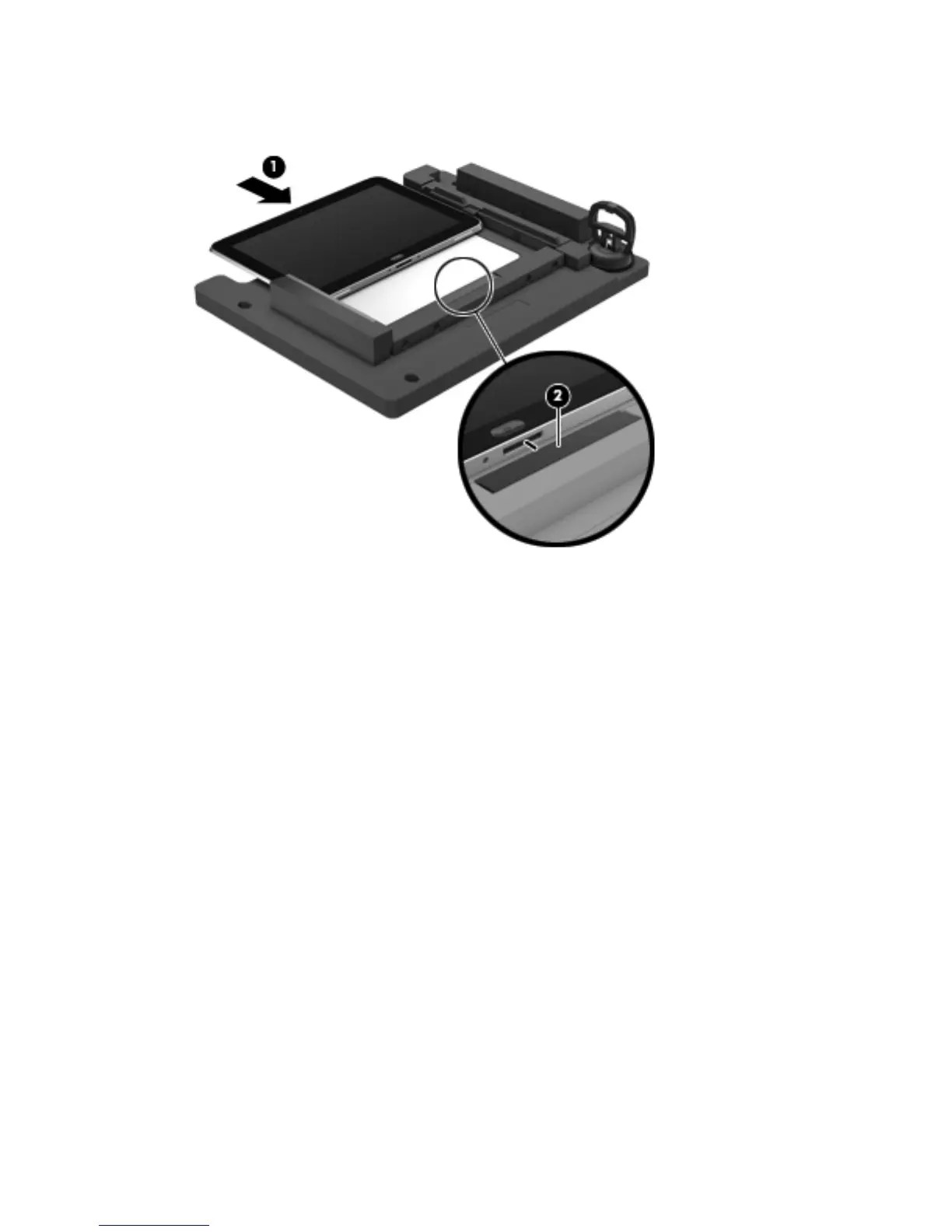
Close the retention gate (1) and release the retention bar (2) to secure the tablet in the
service tool.
7. Place the suction cup (1) on the lower right corner of the tablet display glass, making sure to
place the suction cup inside the edges of the border (2) of the display glass.
The suction cup is available using spare part number 714223-001.
8. Raise the suction cup handle (3).
28 Chapter 4 Removal and replacement procedures



 To Next Page