9.
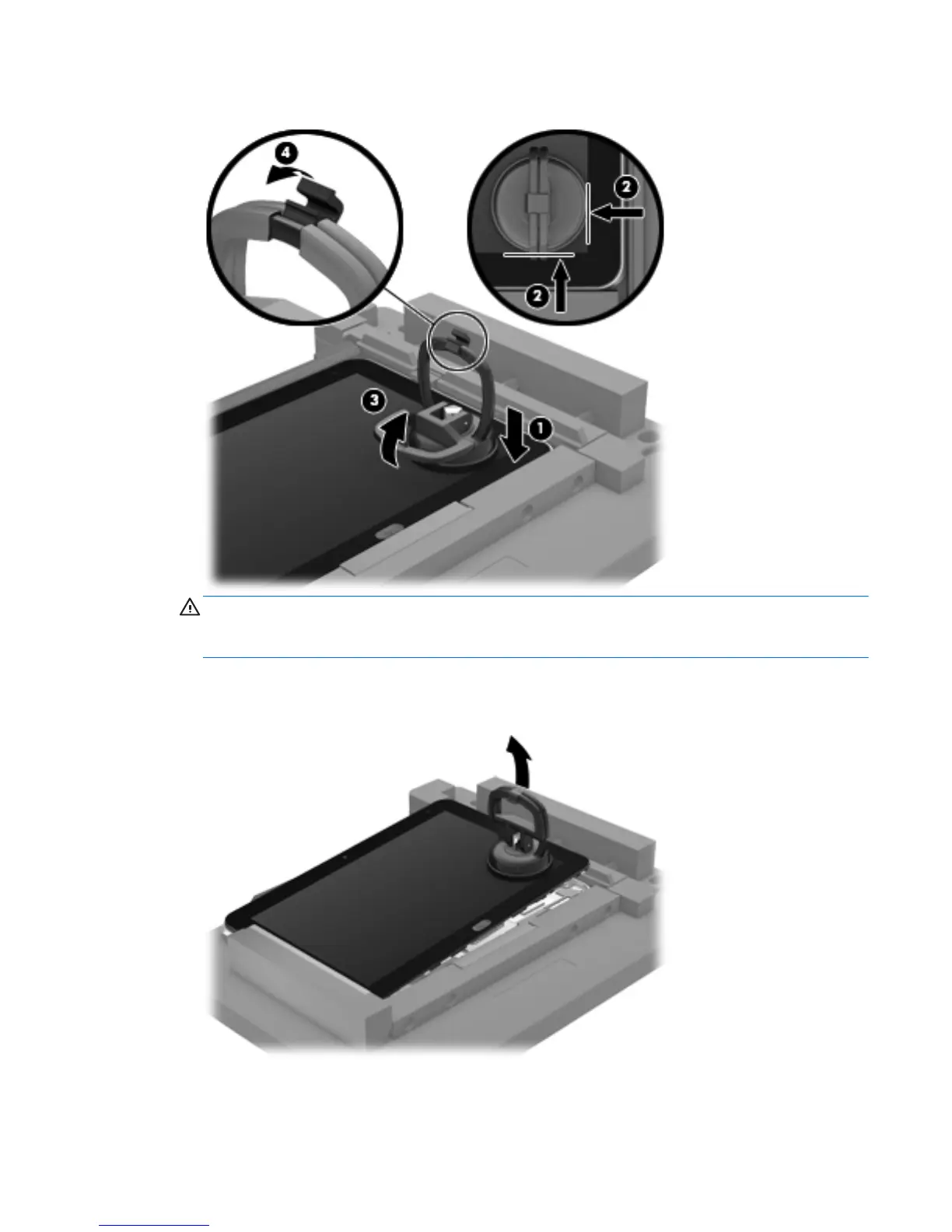
Lock the two suction cup handles together (4).
CAUTION: Do not lift the right edge of the display assembly more than ¼-inch from the tablet
when releasing the display assembly. Failure to follow this caution can result in damage to the
tablet components.
10. Firmly lift up on the suction cup to release the right side of the display assembly approximately ¼-
inch from the tablet.
11. Move the retention bar (1) until the notch in the retention bar allows the retention gate to open.
Component replacement procedures
29



 To Next Page