12.
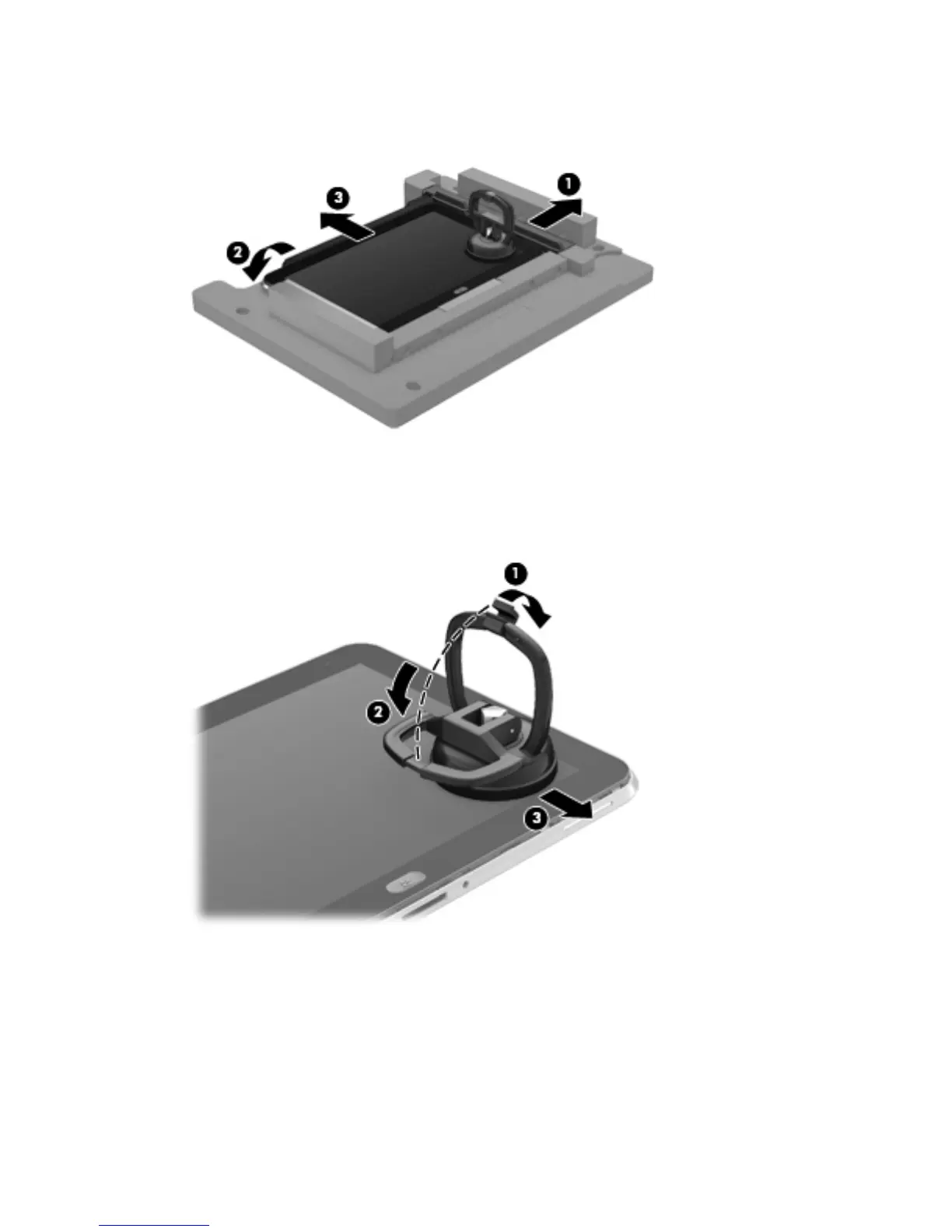
Open the retention gate (2).
13.
Slide the tablet out of the service tool (3).
14. Disconnect the suction cup handles (1).
15. Lower the suction cup handle (2).
16. Remove the suction cup (3).
17. Move the display assembly (1) to the left until the display assembly cables and connectors
are accessible.
18. Release the zero insertion force (ZIF) connector (2) to which the TouchScreen cable is attached,
and then disconnect the TouchScreen cable from the system board.
30 Chapter 4 Removal and replacement procedures



 To Next Page