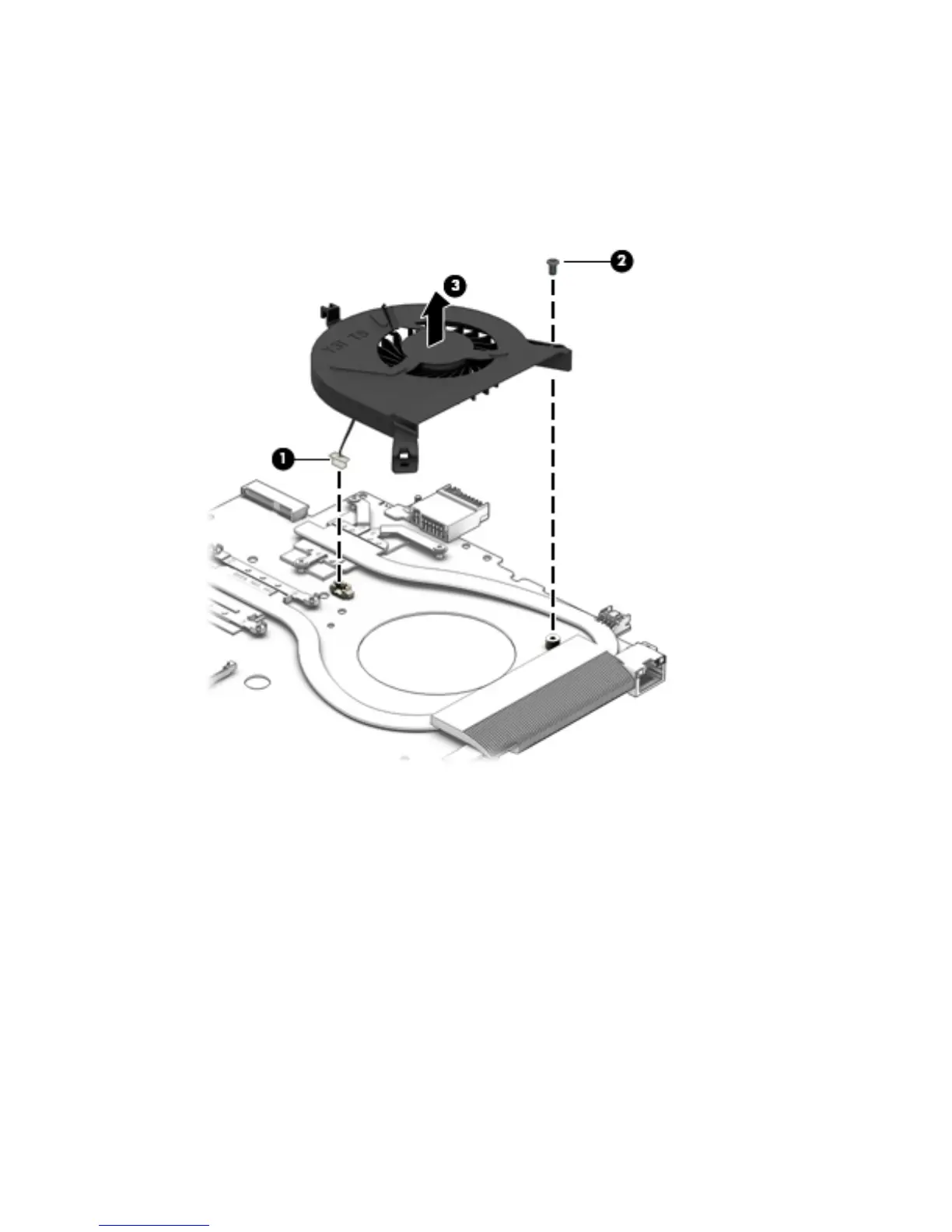
Remove the fan:
1. Turn the system board upside down, with the front toward you.
2. Disconnect the fan cable (1) from the system board.
3. Remove the Phillips P2.5x4.0 screw (2) that secures the fan to the system board.
4. Remove the fan (3) from the system board.
Reverse this procedure to install the fan.
Component replacement procedures 59



 To Next Page
 Loading...