17
3.4 Picture in Video
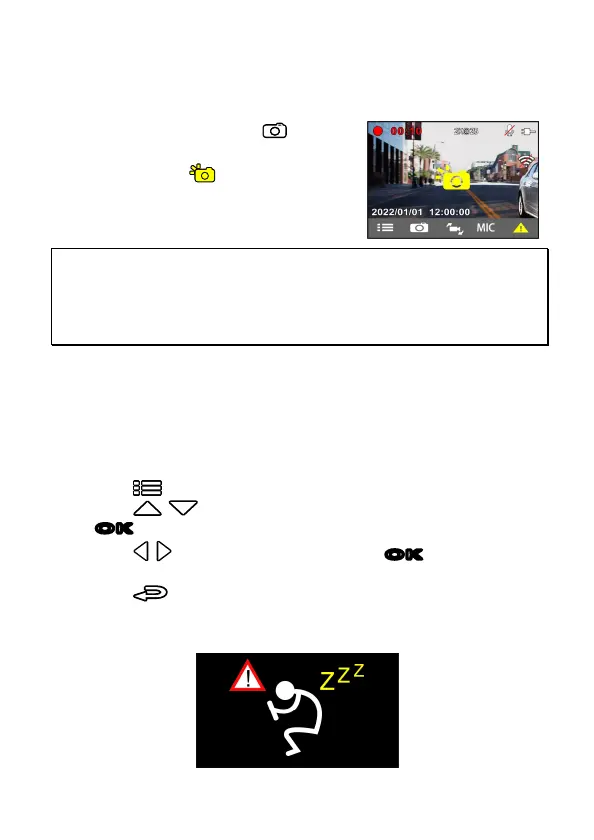
You can also use this camcorder to take snapshots of the current scene.
1. In recording status, press button
to capture recording screen shots.
2. When the icon shows in the
central of screen, it means the
screenshots is completed.
Note:
1. The screen shots image resolution quality is depending on the video resolution setting.
2. The picture resolution is limited by the speed of the target object and changes in ambient lighting.
The photograph function is better used for taking still pictures in accident scenes or when the car is
stopped to wait for a traffic light.
3. Support single camera photoshoot. Photo will be taken for either camera’s preview screen.
3.5 Driver Fatigue Alert
If the Driver Fatigue Alert function is enabled, this product produces
audible alert and screen message one hour after it has begun recording
and repeats the alerts every half hour afterwards.
To enable the Driver Fatigue Alert, do the following:
1. Press button to enter the OSD menu and choose Setting.
2. Press / button to select Driver Fatigue Alert, and press
OK
button to enter the setting.
3. Press
/
button to select ON, and press
OK
button to
activate.
4. Press
button to return to preview screen.
5. The alarm icon will show up to remind you to take a rest from long
distance driving.



 To Next Page