EL-MF877-00 Page 8
Template Revision B
PSG instructions for this template are available at EL-MF877-01
3. Lift the processor and heatsink off of the socket, pulling straight up.
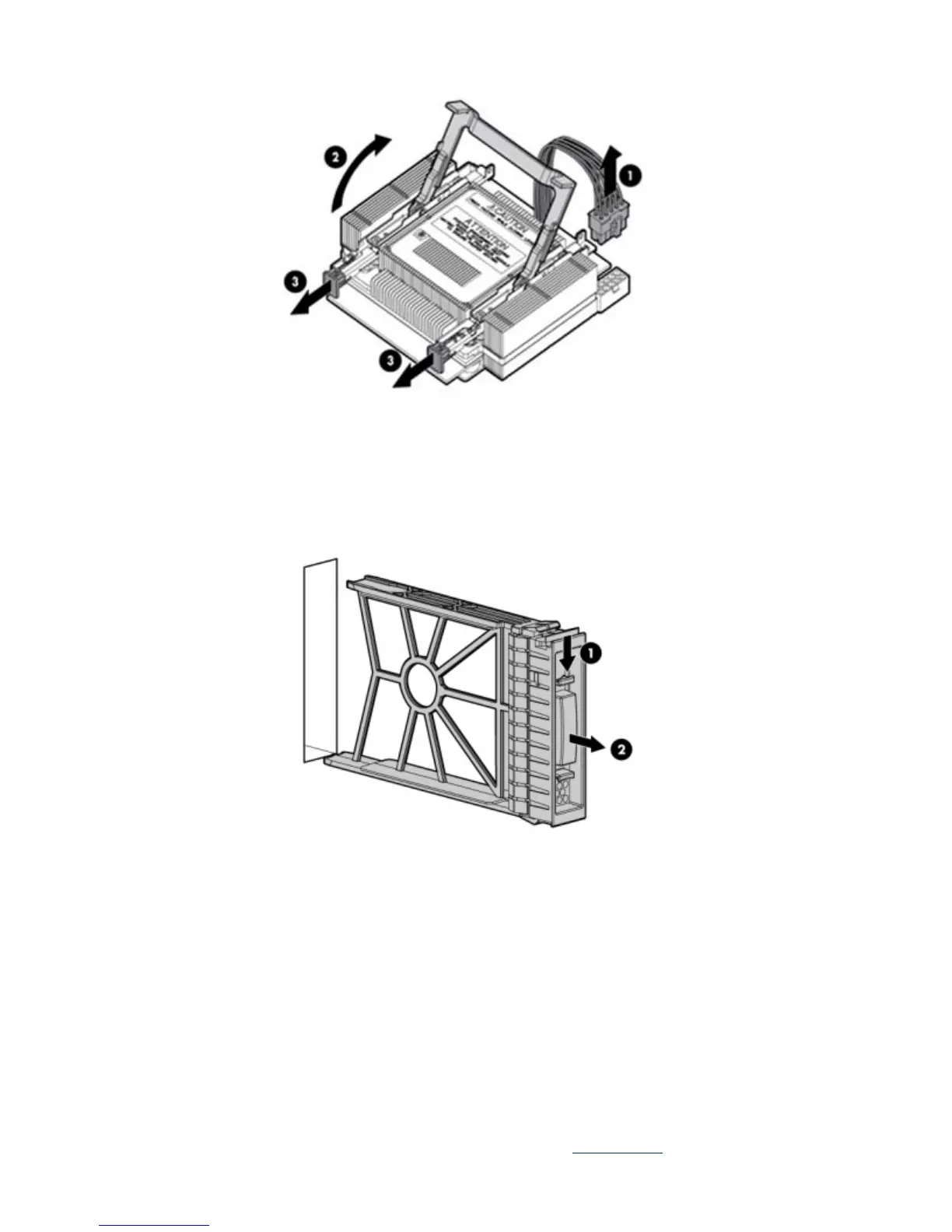
Removing a disk drive blank
Remove the component as indicated:
Removing a disk drive
1. Press the release button.
2. Open the ejector lever.
3. Slide the disk drive out of the drive cage.



 To Next Page
 Loading...





