3
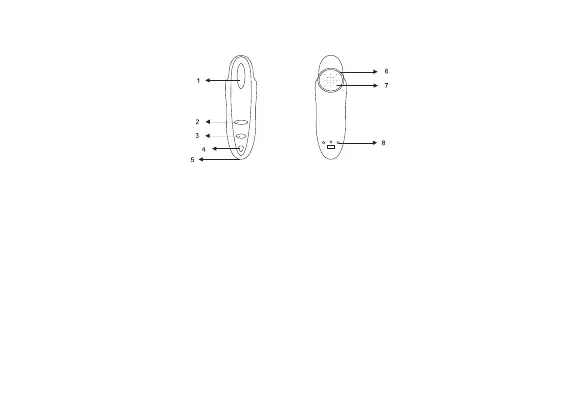
Headset Features
1. Talk Button: Switches the Headset on/off, answers/ends a call, pairs the Headset with a device,
and is used for voice dialing.
2. Volume Up Button: Increases the speaker volume.
3. Volume Down Button: Decreases the speaker volume.
4. LED Indicator: Displays the status of the Headset.
5. Microphone: Picks up external audio.
6. Earpiece: Holds the Headset in the ear.
7. Speaker: Plays incoming audio.
8. Charging Port: Charges the battery.





 To Next Page