Page 2 of 4
Troubleshooting
Question:
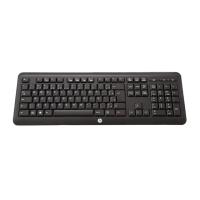
My
Keyboard
is
not
working.
What
should
I
do?
Answer
: Check if the Adapter ( Dongle ) is plugged in correctly to your computer's USB port. A loose
connection may result in the computer not being able to detect the device.
If your Keyboard is connected to a hub or multi-port USB connector, unplug the device and plug it directly into
your computer's USB port, ensuring there is no interference caused by these devices.
Other system devices, such as PC cards, may cause conflicts that prevent your Keyboard from working
properly. Check the settings of these devices and make any changes as necessary. Reboot your computer
and re-attach the Keyboard.
Question:
The
Keyboard
pointer
is
not
moving.
What
should
I
do?
Answer
: Ensure all setup procedures have been followed correctly. If software and drivers have already been
installed, remove these, reboot your computer and re-install.
Ensure that batteries are not out of power. Replace batteries if necessary.
Battery Notice:
• Press any button to wake up the Keyboard while the Keyboard is in the standby mode.
• CAUTION
RISK OF EXPLOSION IF BATTERY IS REPLACED BY AN INCORRECT TYPE.
DISPOSE OF USED BATTERIES ACCORDING TO THE INSTRUCTIONS


 To Next Page