EasyManua.ls Logo

HP KBRF3871 - User Manual

HP KBRF3871
4 pages
Print Icon
To Next Page IconTo Next Page
Loading...
Page 1 of 4
2.4G Wireless Keyboard USRE MANUAL
KBRF3871
User’s Quick Guide
This guide will take you through all the functions of the Keyboard and explain how to configure them using the
Keyboard.
Introduction
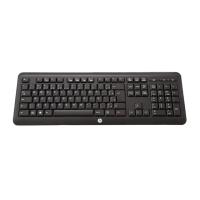
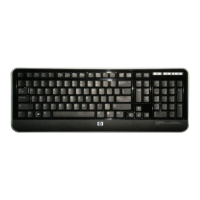
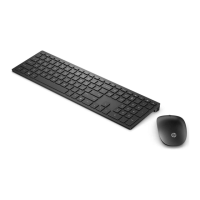
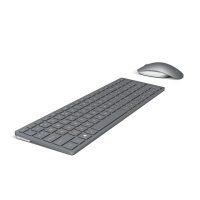
Congratulations on your purchase of the HP 2.4G Wireless Keyboard
Model: KBRF3871
Package Contents
Wireless Keyboard x 1
USB Adaptor ( to operate in coordination for Dongle model : MORFDIUOA-D )
AAA Battery x 2
User’s Guide x 1
PC Requirements
Pentium processor or equivalent
Operating System: Windows
®
XP with Service Pack 1 or higher, Windows
®
Vista.
Setup 2.4G Wireless Keyboard
Please take off the battery cover and then put 2 AAA alkaline batteries in the battery compartment. Please
note batteries are fitting with correct electrode that shows on the inner side of battery cover.
Plug in adaptor to computer USB port.
Press “ Connect “ button to Setup the Keyboard and Adapter ( Dongle ) connection .
USB adaptor and Keyboard will automatically connection after Adaptor plug into PC after few seconds.
Question and Answer IconNeed help?

Do you have a question about the HP KBRF3871 and is the answer not in the manual?

Summary

Users Quick Guide

Introduction

Welcomes the user and outlines the product's initial setup information.

Package Contents

Lists items included in the package: keyboard, USB adapter, batteries, user's guide.

PC Requirements

Specifies hardware and OS requirements for using the keyboard.

Setup

Connecting the Keyboard

Instructions for connecting the wireless keyboard and adapter to the computer.

Troubleshooting

Keyboard Not Working

Addresses issues when the keyboard fails to function, suggesting connection checks.

Keyboard Pointer Not Moving

Provides solutions for when the keyboard's cursor movement is unresponsive.

Battery Notice

Important notices and cautions regarding battery usage and replacement.

Regulatory Compliance

FCC Statement

Details compliance with Federal Communications Commission (FCC) regulations for radio frequency emissions.

CE Statement

Declares conformity with European Union directives regarding health, safety, and electromagnetic compatibility.

IC Statement

Outlines compliance with Industry Canada regulations for radio apparatus.

HP KBRF3871 Specifications

General IconGeneral
BrandHP
ModelKBRF3871
InterfaceUSB
Keyboard LayoutQWERTY
Number of Keys104
CompatibilityWindows
Special FeaturesSpill-resistant

Related product manuals