Copying photos and books
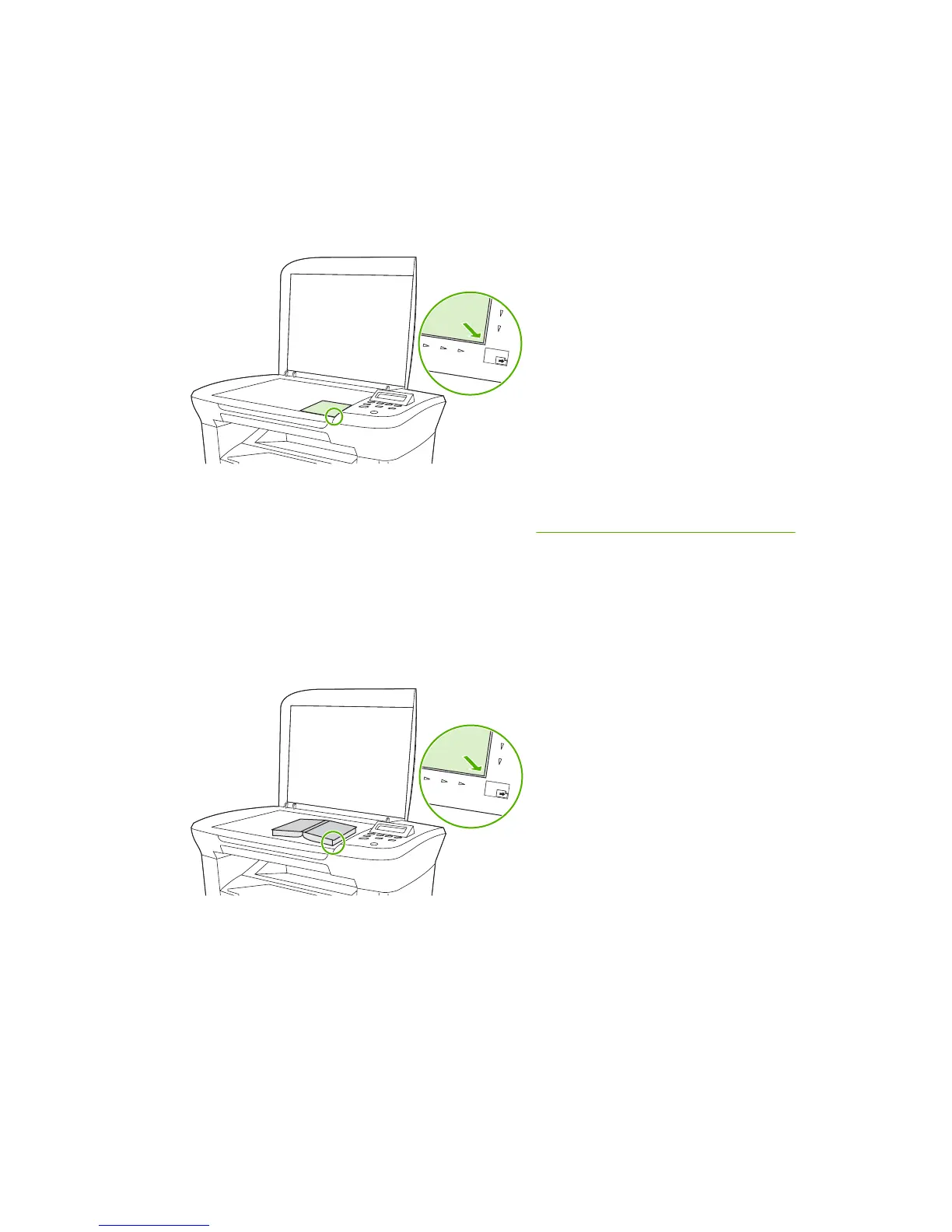
To copy a photo
1. Lift the lid and place the photo on the flatbed scanner with the picture-side down and the upper-
left corner of the photo in the lower-right corner of the glass.
2. Gently close the lid.
3. Adjust the copy quality setting to Film photo. See
Adjusting the copy quality on page 42.
4. Press Start Copy.
To copy a book
1. Lift the lid and place the book on the flatbed scanner with the page that you want to copy at the
lower-right corner of the glass.
52 Chapter 6 Copy ENWW



 To Next Page