Fuser
1. Remove the following assemblies:
●
Scanner assembly. See
Scanner assembly on page 85.
●
Left cover. See
Side covers on page 110.
●
Rear cover and fuser cover. See
Rear cover and fuser cover on page 113.
●
Print-cartridge door. See
Print-cartridge door on page 112.
●
Front cover. See
Front cover on page 115.
●
Scanner support-frame and chassis reinforcement plate. See
Scanner support-frame
on page 124.
2. Disconnect cables from near the top of the engine power assembly and disconnect the large
grounding wire from the back of the product.
3. Disengage the wire-harnesses from the wire retainers to release the fuser assembly.
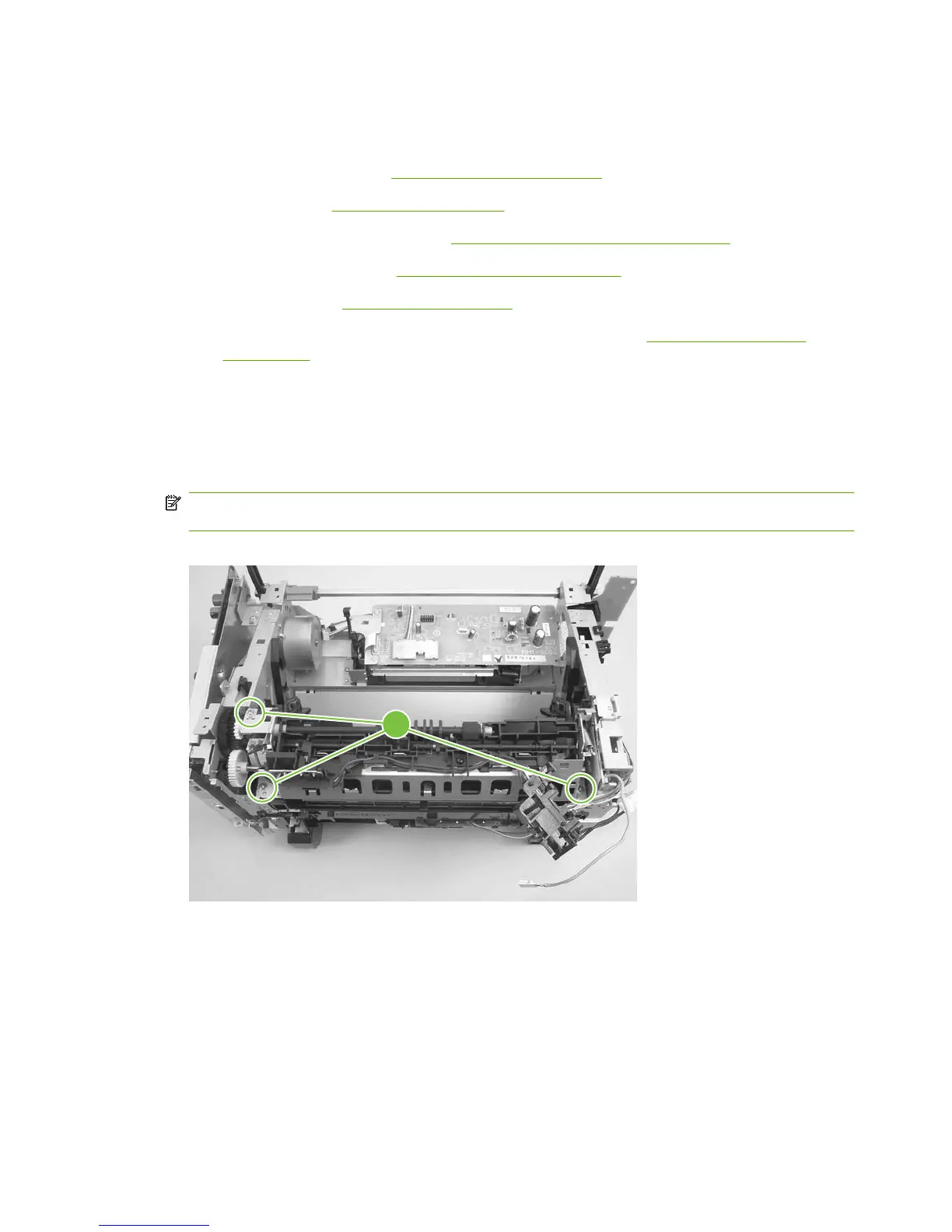
4. Remove three screws (callout 1).
NOTE: It is not necessary to remove the delivery-sensor PCA, but you need to move it to gain
access to one screw.
Figure 6-99 Removing the fuser assembly (1 of 2)
1
134 Chapter 6 Removal and replacement ENWW



 To Next Page