Replace supplies
Print cartridge
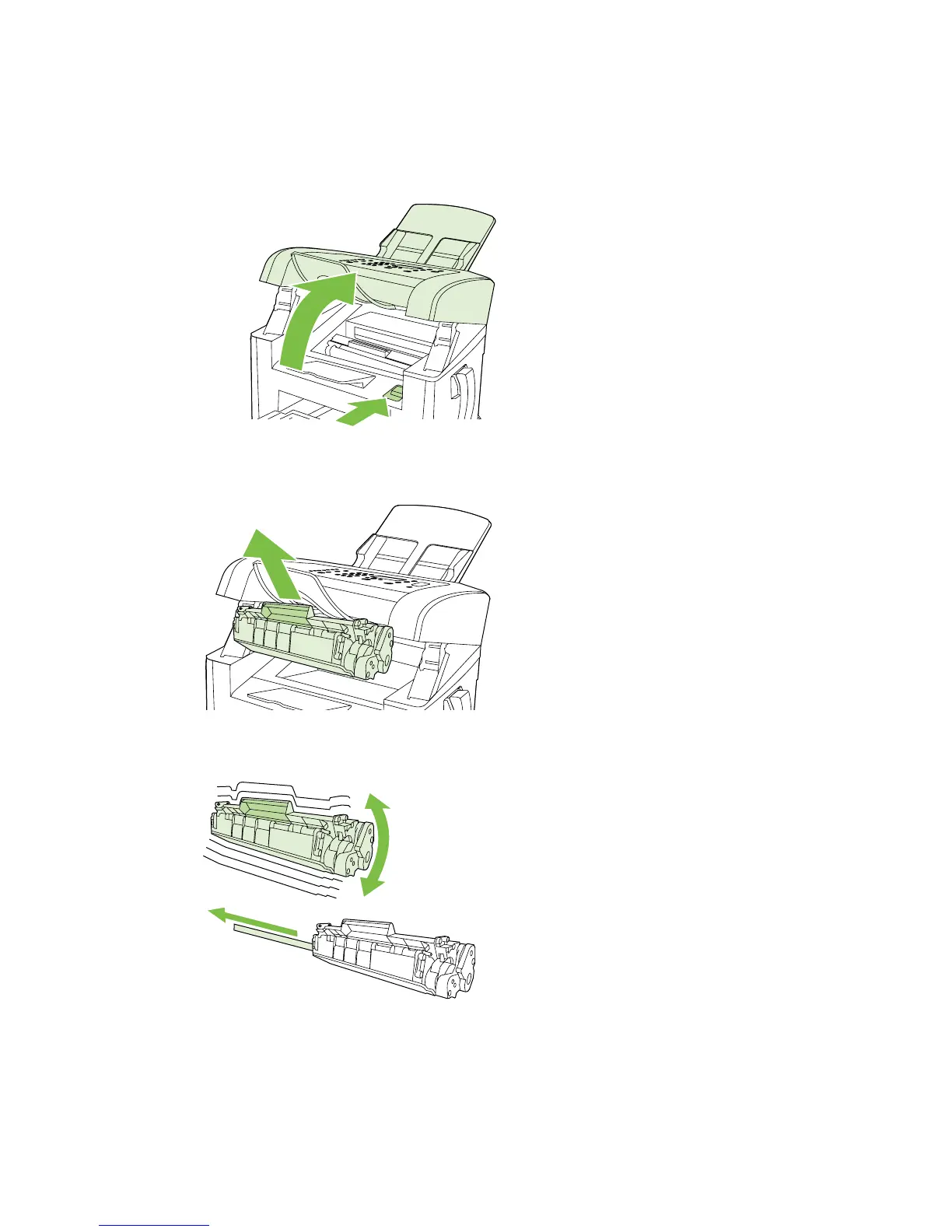
1. Open the print-cartridge door.
2. Grasp the handle on the print cartridge and then pull the cartridge straight out to remove it. See
the recycling information inside the print cartridge box.
3. Remove the new print cartridge from its packaging, rock the cartridge, remove the orange cover,
and then pull the orange tab straight out to remove the sealing tape.
ENWW Manage supplies 33



 To Next Page