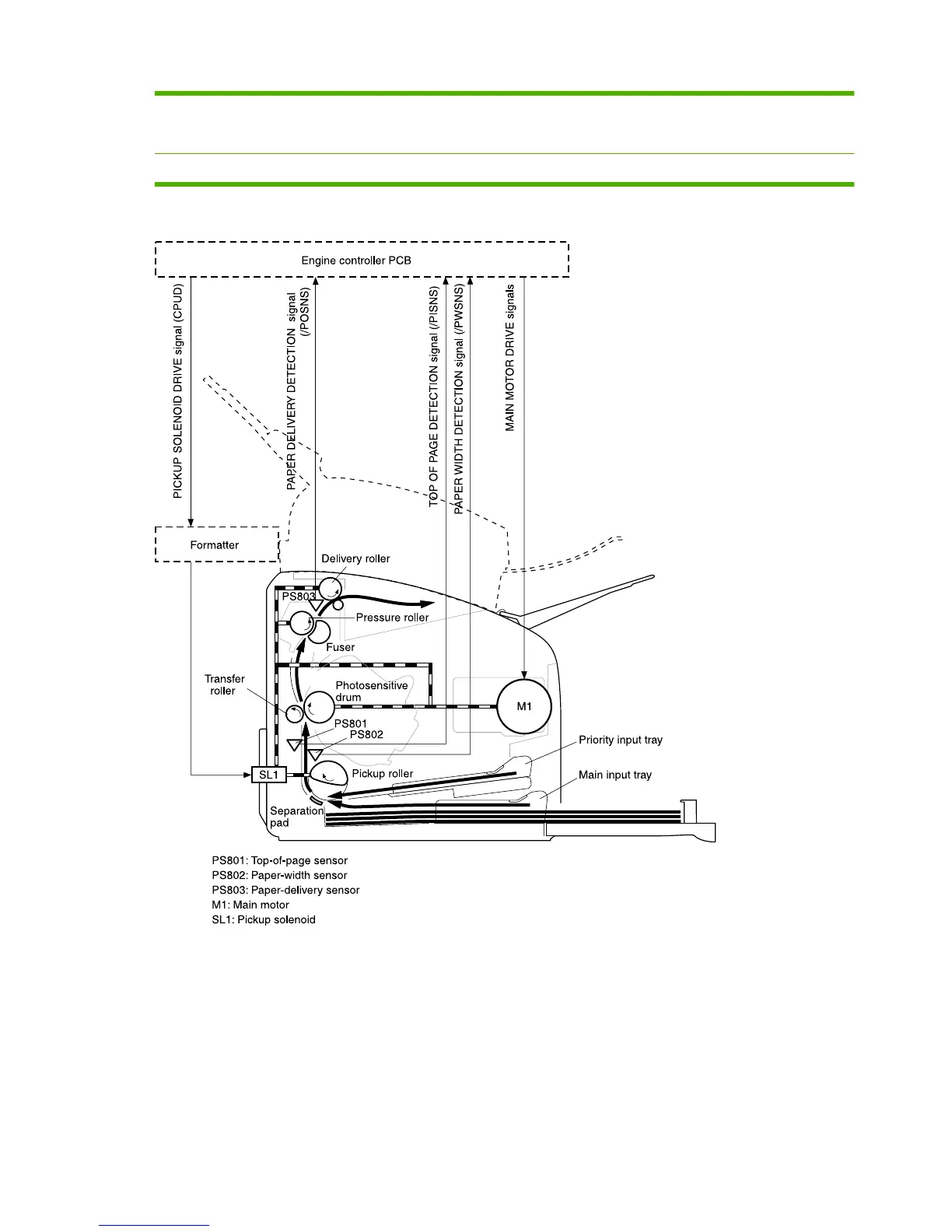
Step 6 After the image is transferred, the media enters the fuser assembly where heat from the fuser and pressure
from the pressure roller permanently bond the toner image to media. The paper-delivery sensor (PS803)
determines that the media has successfully moved out of the fusing area.
Step 7 The fuser-assembly exit rollers deliver media to the output bin face-down.
Figure 5-6 Product base paper path
50 Chapter 5 Operational theory ENWW



 To Next Page