Required tools
●
#2 Phillips screwdriver with a magnetic tip and a 152-mm (6-inch) shaft length
●
Small flatblade screwdriver
●
Long flatblade screwdriver
●
#8 and #10 torx screwdrivers
●
Needle-nose pliers
●
ESD mat (if one is available)
●
Penlight (optional)
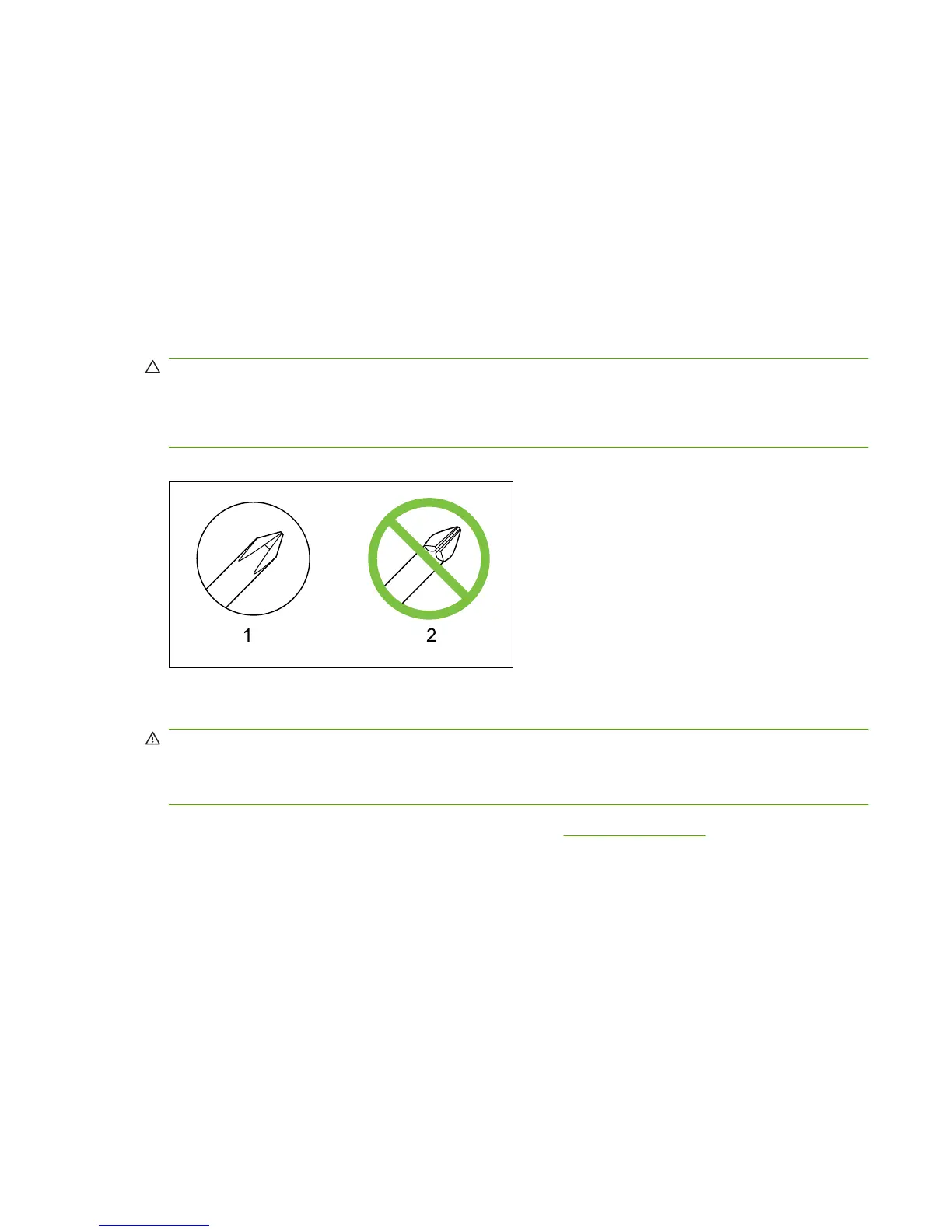
CAUTION: Always use a Phillips screwdriver (1). Do not use a pozidrive screwdriver (2) or any
motorized screwdriver. These can damage screws or screw threads.
CAUTION: Do not pull directly on the wires to disconnect them. Always pull on the plastic body of a
connector to avoid damaging the connector wires.
Figure 6-1 Phillips and pozidrive screwdriver comparison
Types of screws
WARNING! Make sure that components are replaced with the correct screw type. Using the incorrect
screw (for example, substituting a long screw for the correct shorter screw) can cause damage to the
product or interfere with product operation. Do not intermix screws from removed with one component
with the screws removed from another component.
For a complete list of screw types and part numbers, see Screws on page 211.
ENWW Removal and replacement strategy 67



 To Next Page