FR
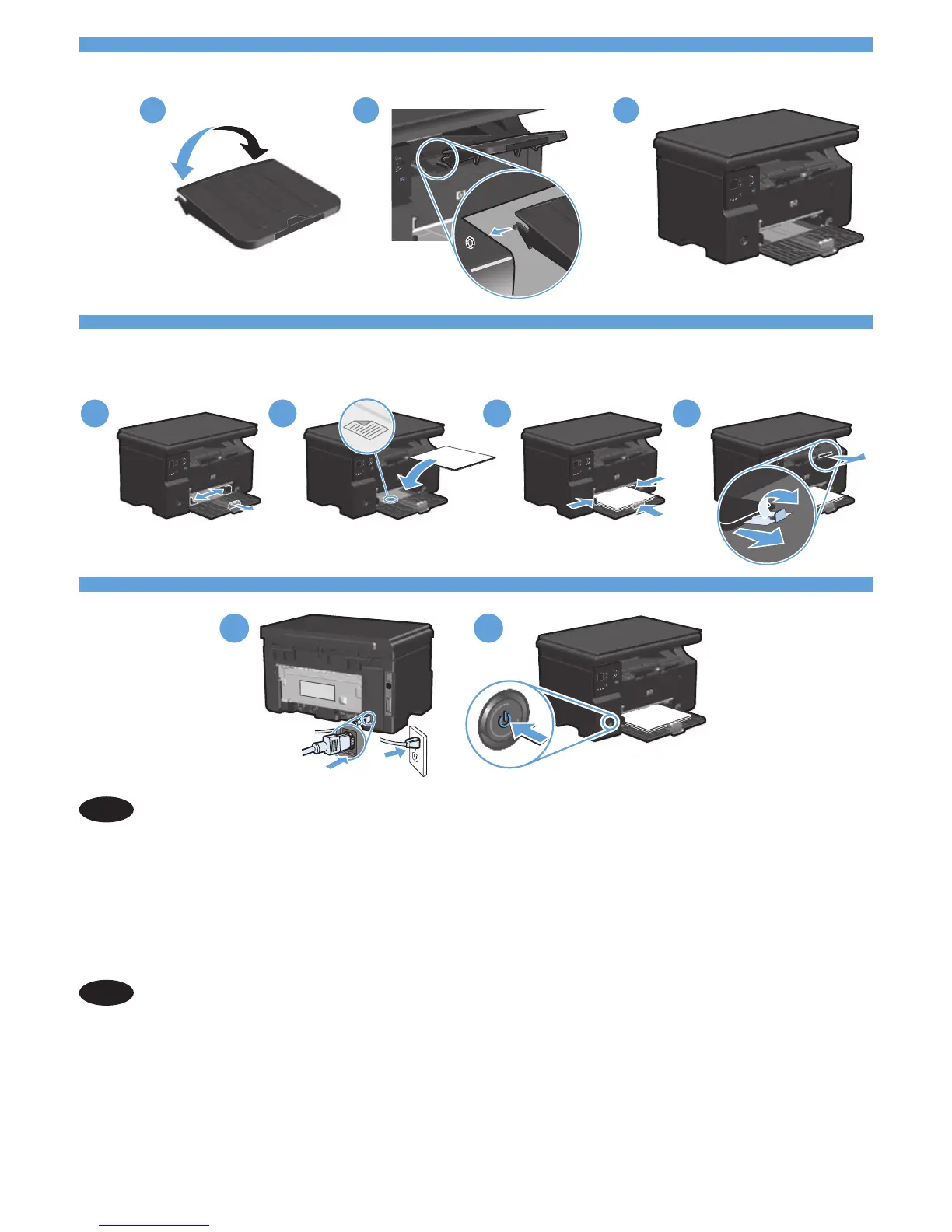
Reliez le produit à la prise reliée à la terre à l'aide du cordon d'alimentation, puis mettez le
produit sous tension. Assurez-vous que votre source d'alimentation est adaptée à la tension
nominale du produit. La tension nominale est indiquée sur l'étiquette du produit. Le produit
utilise 110-17 volts c.a. ou 0-40 volts c.a. et 50/60 Hz. Attention! Pour éviter tout
endommagement du produit, utilisez uniquement le câble fourni avec le produit.
EN
Connect the power cord between the product and a grounded AC outlet, and then turn on
the product. Make sure your power source is adequate for the product voltage rating. The
voltage rating is on the product label. The product uses either 110-17 Vac or 0-40 Vac
and 50/60 Hz. Caution: To prevent damage to the product, use only the power cord that
is provided with the product.



 To Next Page