11
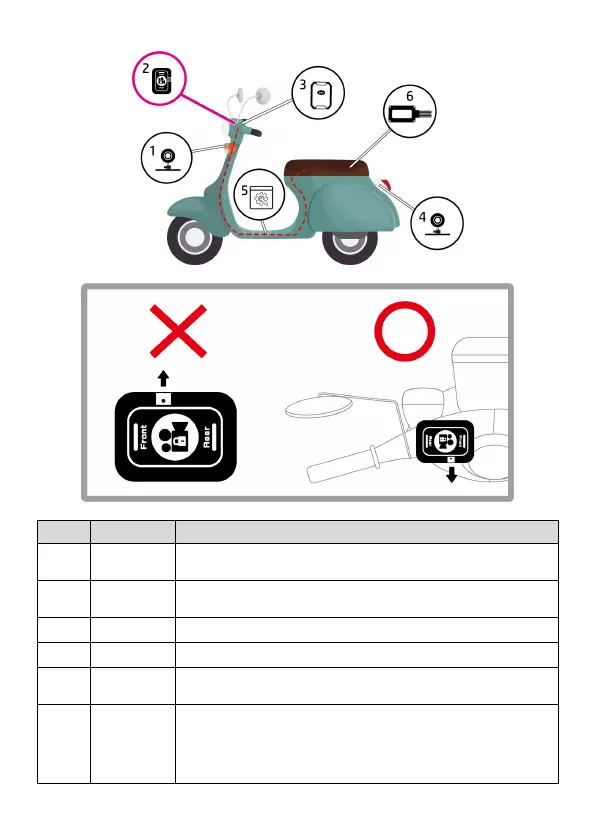
1.5.2 Installation position
1
camera
To be fixed on scooter’s head or the central of front case.
2 Easy pad
To be fixed on the front handle. (refer to above drawing)
DO NOT put the Microphone toward to front end.
To be fixed on a good reception of front handle..
To be fixed on the car plate or rear handle.
5 Installation
mount the host, accessories and wires.
wiring route to install all items.
6
Host and
wires
Velcro to fix the host on the inner side of cabinet; it’s convenient
to remove the host and take out memory card to check.
*When installation is completed, use Go Moto app to calibrate
over detection. (Tilt Detection).


 To Next Page