15
2.3.1 Camera preview, record, snapshot
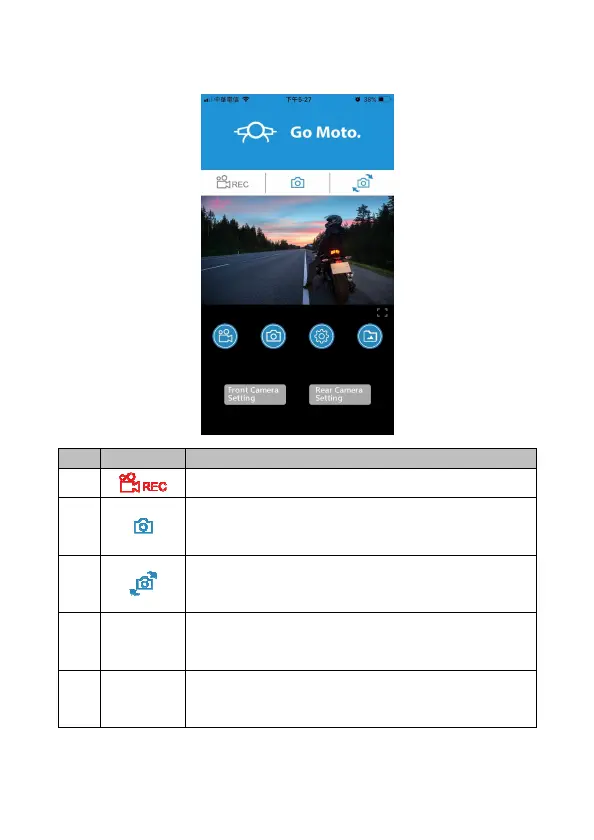
You can use this feature to preview, record or take snapshot.
icon Description
1
Start/stop recording
2
Snapshot (no matter in front camcorder or rear
camcorder preview, once you touch this icon, both
of front and rear camcorder will take photo.)
3
Switch front and rear camcorder preview
4
Front
Camera
Setting
Rotate camera preview image
5
Rear
Camera
Setting
Rotate camera preview image


 To Next Page