8
1.3 Product Overview
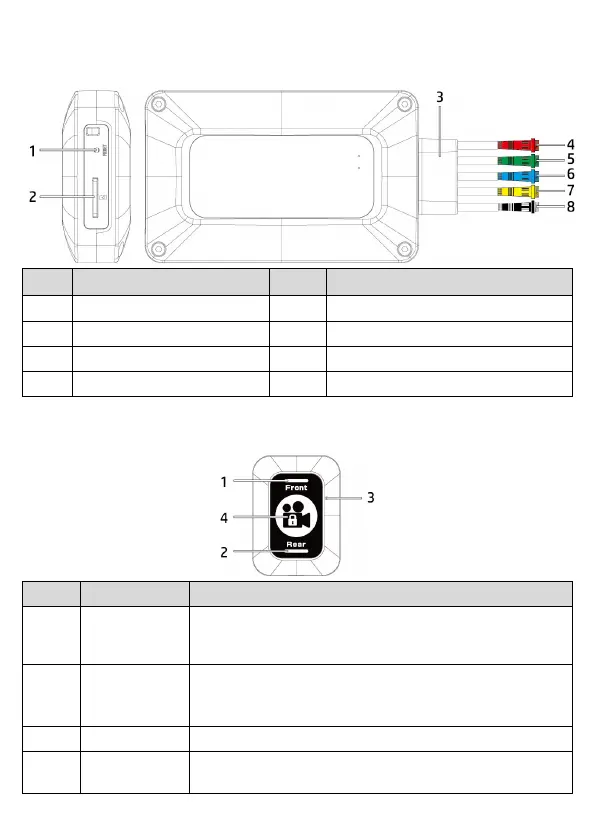
1.3.1 Host
編號
名
稱
編號
名
稱
1 Reset 5 Green: to connect GPS
2 microSD slot 6 Blue: to connect rear camera
3 5in1 connector 7 Yellow: to connect Easy Pad
4 Red: to connect power cable 8 Black: to connect front camera
1.3.2 Easy Pad
No Item Function
1
LED indicator -
front camera
-LED always on: power on (standby)
-LED flash: front camera is in recording
-LED flash quickly: speed cam alert. *Note
2
LED indicator –
rear camera
-LED always on: power on (standby)
-LED flash: rear camera is in recording
3 Microphone For Intelligent Noise Reduce
4 Lock file / Wi-Fi
-short press: to lock the file
-long press: turn on Wi-Fi


 To Next Page