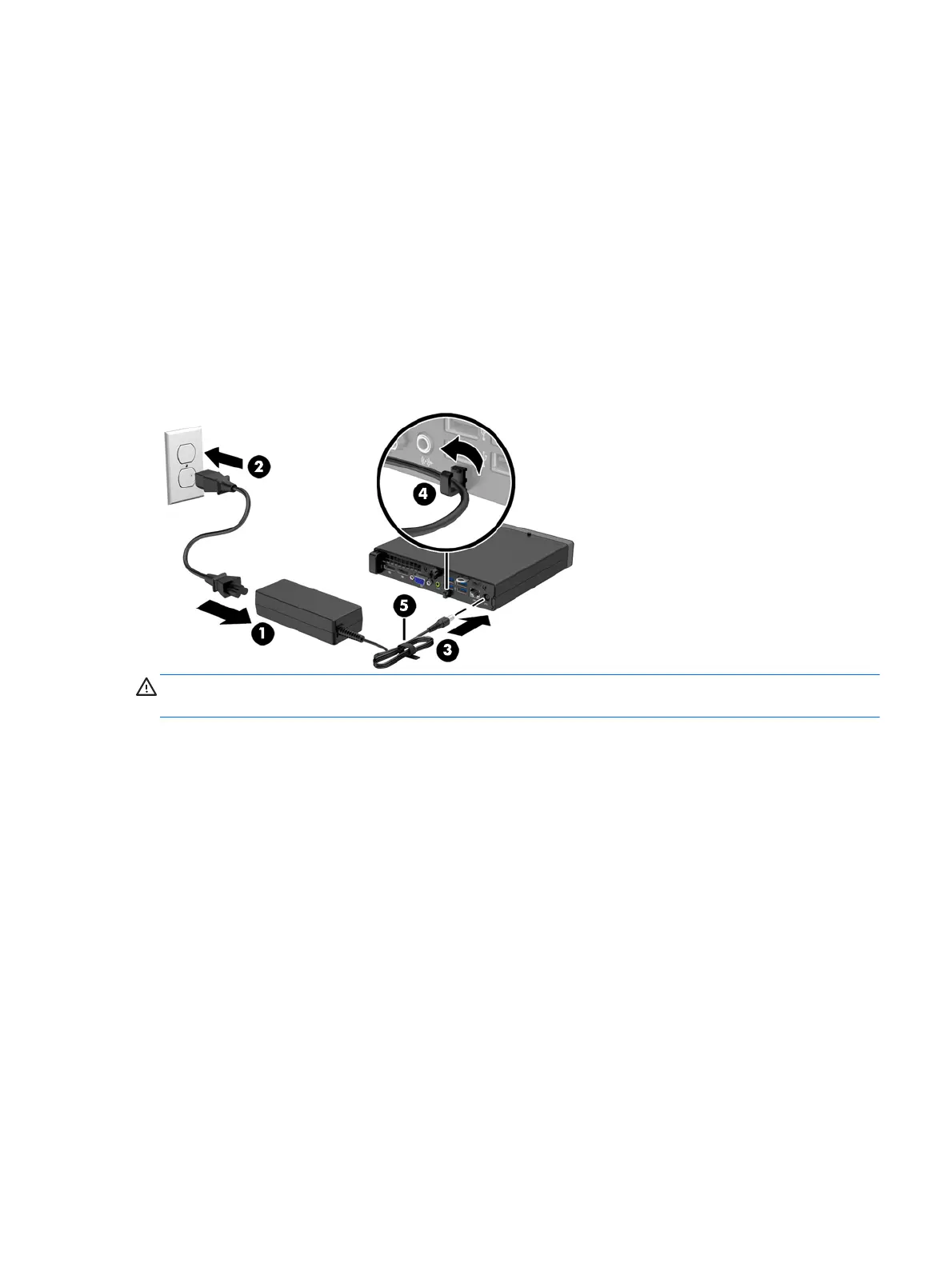
Connecting the power cord
When connecting the power supply, it is important to follow the steps below to ensure the power cord
does not pull free from the computer.
1. Plug the female end of the power cord into the power supply brick (1).
2. Connect the other end of the power cord to an electrical outlet (2).
3. Connect the round end of the power supply cord to the power supply connector on the rear of the
computer (3).
4. Route the power cord through the retainer clip to prevent the cord from becoming disconnected
from the computer (4).
5. Bundle any excess power cord with the supplied strap (5).
CAUTION: Failure to secure the power cable with the retainer clip may result in the power cord
becoming disconnected and loss of data.
Connecting the power cord
5











 To Next Page