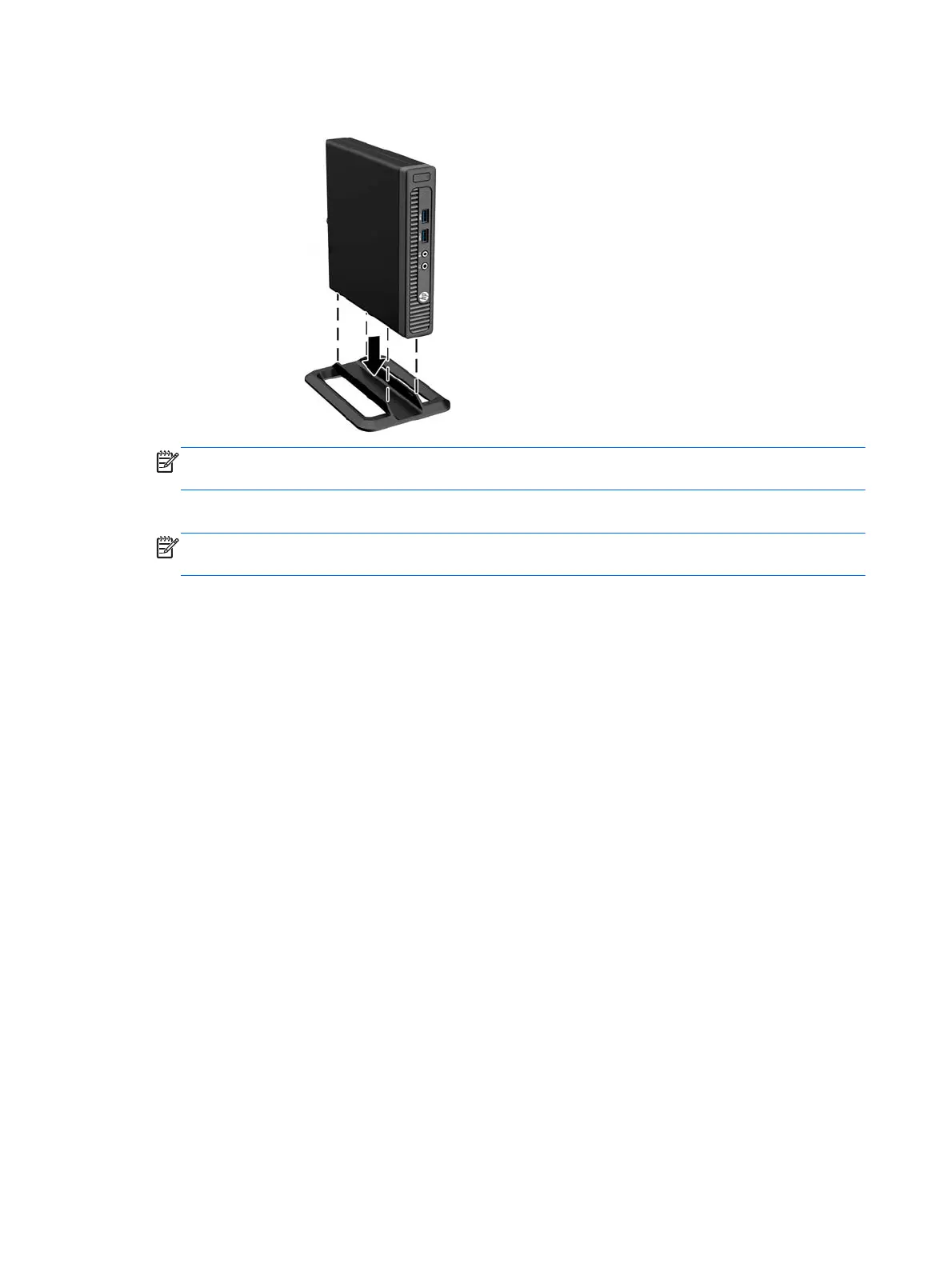
5. Orient the computer so that its right side is facing up and place the computer in the optional stand.
NOTE: To stabilize the computer in a tower orientation, HP recommends the use of the optional
tower stand.
6. Reconnect the power cord and any external devices, then turn on the computer.
NOTE: Ensure at least 10.2 centimeters (4 inches) of space on all sides of the computer remains
clear and free of obstructions.
7. Lock any security devices that were disengaged when the access panel was removed.
8 Chapter 2 Hardware upgrades











 To Next Page