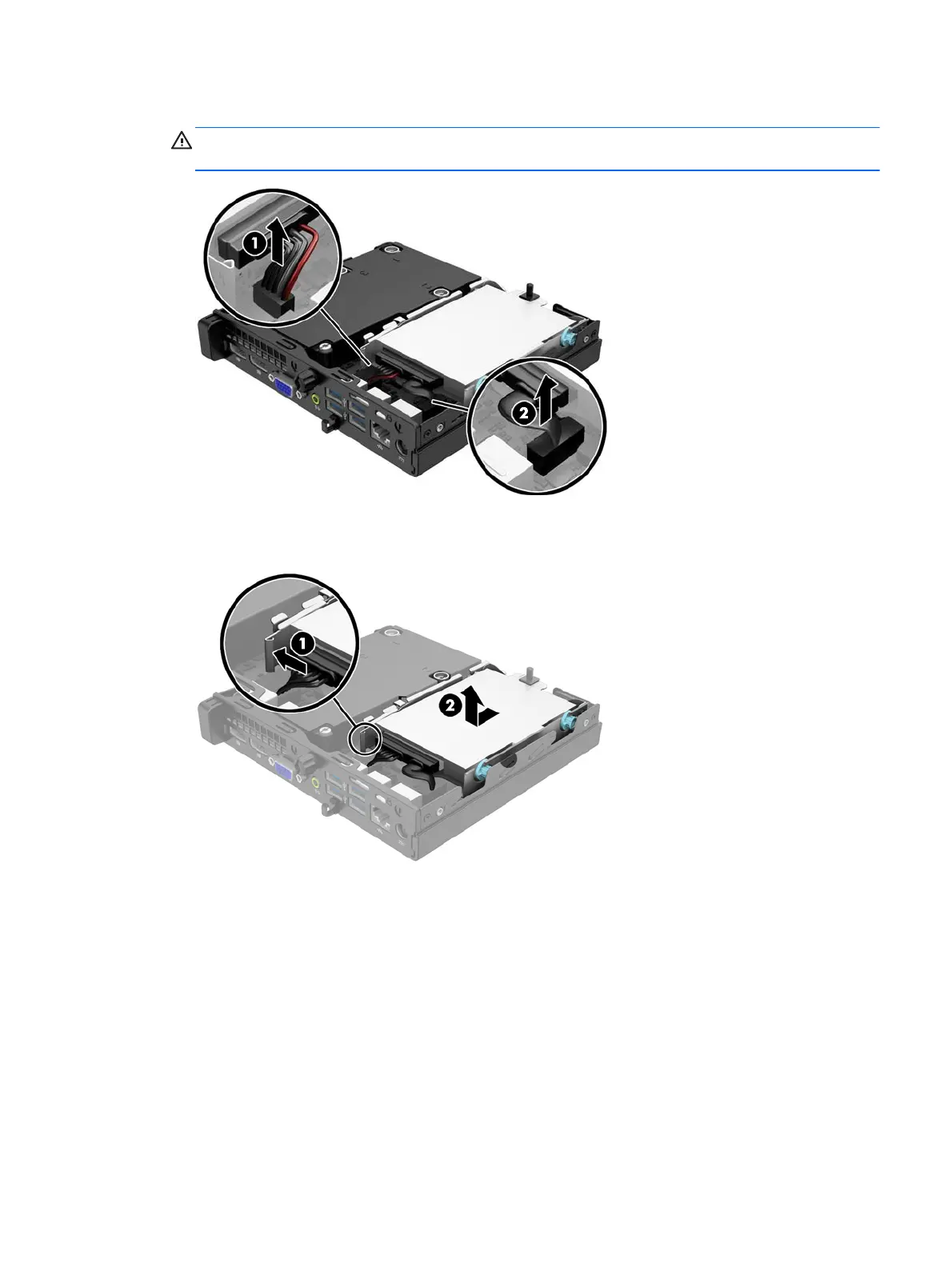
7. Disconnect the hard drive power cable (1) and data cable (2) from the system board.
WARNING! To reduce risk of personal injury from hot surfaces, allow the internal system
components to cool before touching.
8. Pull the release lever next to the rear of the hard drive outward (1). While pulling the release lever
out, slide the drive back until it stops, then lift the drive up and out of the bay (2).
Installing additional memory
15











 To Next Page